Solved Intercom not working

Status
Not open for further replies.

sanchezuk

New User
Joined
Mar 19, 2024
Messages
12
Reaction score
1
Hi
i am trying to get intercom working on our system but having some issue.

in the system i have set the paging dial code to be *70 and when i dial *70258 via the client i get "Error Failed to call *70258

the user has a Yealink T53 handset,

any idea what could be wrong?
 
Hi there.
You should have a look at your permission and the role used see the one for the Intercom.
 
Also, check if the dialling code you have is not interfered with and used for the other action.
Since *77 is used for hotdesking, try using *8 let's say for paging.
 
i'm an system owner on the system, and the other user is a (user) profile, so i should be able to intercom.

i have changed the code to *8 and still get the same issue.
 
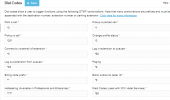
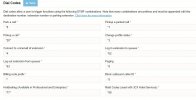
Those are my dial codes, and my extension is a system owner, so I place the call using *8106
(106 is the extension) and it works fine
1711636174643.png
 
i have also change the other user to be reception and still get the same error.
 
Are you able to call that user without a dial code?
 
yes i can call the user as normal,

when i try to intercom the user is dial *8258
 

Attachments

  • 3cx.JPG
    3cx.JPG
    53.7 KB · Views: 15
So you still get the same error? Or now it just rings?
p.s I have tried using the 3CX Web client, and in my case, all the extensions were in the same default group.
 
Ok, i have reboot the handset and the phone system and all look to be working now.
 
  • Like
Reactions: OlegR_3CX
Perfect!
Thank you for the feedback
 
Status
Not open for further replies.

Latest Posts

Forum statistics

Threads
111,953
Messages
589,916
Members
164,851
Latest member
DrunkeMeister