Solved IP change help required, DOWN/DOWN URGENT

Status
Not open for further replies.

thereverendd

Free User
Joined
Mar 31, 2019
Messages
66
Reaction score
5
We changed ISPs and got a new IP address yesterday morning. We went into the dashboard and did all the tricks we seen on the forums listed below such as

  • Change to Static IP
  • Change Back to Dynamic IP (Keeps saying detecting for last 18+ hours even after restart of ALL services and REBOOT of server)
Can someone PLEASE help me with this issue my phones are down and I was up till 1am trying to get this to work. All help is GREAT.. Thank you in advance.

Oh this is the message in the activity LOG : Your public IP has changed and 3CX updated your FQDN records from .xxx.xx.xx.xx to .
where it says to . that is actually what it says there is NOTHING after that.
 
Hi,
from starting point , you were in static IP, so after isp change you need to change from static to dynamic wait a little , it should already work like this, in end revert to static ip, dashboard should display new static IP from new ISP and after you just have to wait a couple of hours DNS update (maximum 24 hours)
 
No, I was always dynamic. But I seen a post here on the forums that said try changing from one to the other and back and restarting the services in the middle. But that did not work. It is now in Dynamic mode and just keeps saying that it is looking it up or whatever on the dashboard. but after all this time still nothing.
 
Bring up a browser on the server itself (if using Windows) and type into Google "What is my IP ". Does the server have the correct public IP address.

If using Linux use the command:
dig +short myip.opendns.com @resolver1.opendns.com

3CX Linux may have a different was of doing this, either way if you do not have the correct public IP address on the server you need to change your 1 to 1 NAT rule on your router/firewall possibly.
 
The IP address is correct. It was not different than the forwarded ports..
 
do you have local ip adress on your 3CX ?
network cable plugged into network card
 
Yes have had it all along as local IP. BUT when it was working PUB IP was in this area before. Now just keeps saying detecting now and won't switch away from that. SAME local IP of .8 did get a new router with the new service but set up all ports to be forwarded.

10053
 
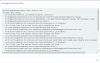
Also did just notice this in the Activity LOG:

There's no valid Domain certificate/key for SIP domain XXXXX.ny.3cx.us

not sure if that matters or not.
 
firewall test?
 
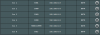
This is what I get when I attempt to run a firewall test

10054
 
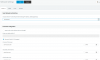
settings > network settings > selected nic, what have you selected?
 
Shows .8 local IP

10055
 
I have never had more than 15 min of lag from changing static to dynamic and the errors on the firewall log make me think some services are not running. what happens when you check on your services?

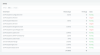
dashboard > services > list of services and the status of them.
 
Here is what I got.
10056
 
All of this was working 100% before I changed IP addresses and I did do an update too as well. But now also when i try to do an update it errors out as well. Is there some kind of REPAIR command I can do at the prompt to rollback to before the update?
 
So I maybe a little more than a simple network allocation issue, for a start you public FQDN is showing a non validation error, is you nslookup the FQDN I would presume it won't resolve to the public IP address you have assigned.

Have you checked your portal also to see if your licence is in maintenance? It may of run out and had an adverse effect.
 
So I maybe a little more than a simple network allocation issue, for a start you public FQDN is showing a non validation error, is you nslookup the FQDN I would presume it won't resolve to the public IP address you have assigned.

Have you checked your portal also to see if your licence is in maintenance? It may of run out and had an adverse effect.

I do not think this can explain the services not working.
 
IF I were to REINSTALL V16, this is V15.5. Is there a way to use the SAME FQDN on the new installed version and import all my settings to the new version install so that my remote extensions do not have to be reprovisioned in the end?
 
All of this was working 100% before I changed IP addresses and I did do an update too as well. But now also when i try to do an update it errors out as well. Is there some kind of REPAIR command I can do at the prompt to rollback to before the update?

I think the update is the most logical explanation at this point. I think the changing of the ip is coincidental.
 
Status
Not open for further replies.

Forum statistics

Threads
112,090
Messages
590,699
Members
165,061
Latest member
AlenaAAA