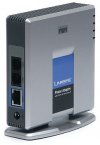
Hi, this should be very doable, even if not 100% officially supported hardware. From the age of your post I can't tell if this is still active topic for you or not. I've setup a few ~generic SIP devices on 3cx over the last few years and generally it works fine, I've got a Sipura-Cisco-Linksys - similar to yours I think - in service for example and it 'just works'. You will need to know your 3cx server public FQDN = "proxy/SIP server' for the Sipura config. USER_ID is your EXT# and password - will be - as per the setup panel for your ext - softphone for 3cx. You also do need the "AUTH ID" and tell the siupra "YES" to use this (ie, not default I believe). I'm pretty sure after that you should be golden. Device will register, have a dialtone, and pass inbound/outbound calls.