


- Joined
- Apr 26, 2022
- Messages
- 34
- Reaction score
- 5
Hello
Please help with understanding
How to issue certificate for domain-name for FQDN name of SBC (Virtual machine) if on it isn't exist nginx or apach web-server to accept certificate request?
"Your chosen FQDN will be used by Microsoft to route traffic to your 3CX to place outbound calls. Therefore it must point to the static public IPv4 address of your 3CX installation."
In fact I have VM with SBC with private ip address and have public ip on virtualization system and made port forwarding for ports 5060 and 5062.
I know that cert must be true - like this https://www.ssl.com/certificates/basicssl/
But for test trying to make self-signed from Lets Encrypt and see: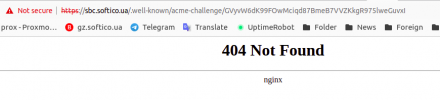
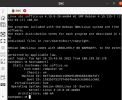
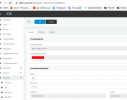

Please help with understanding
How to issue certificate for domain-name for FQDN name of SBC (Virtual machine) if on it isn't exist nginx or apach web-server to accept certificate request?
"Your chosen FQDN will be used by Microsoft to route traffic to your 3CX to place outbound calls. Therefore it must point to the static public IPv4 address of your 3CX installation."
In fact I have VM with SBC with private ip address and have public ip on virtualization system and made port forwarding for ports 5060 and 5062.
I know that cert must be true - like this https://www.ssl.com/certificates/basicssl/
But for test trying to make self-signed from Lets Encrypt and see:
Last edited:


