- Joined
- May 3, 2019
- Messages
- 89
- Reaction score
- 9
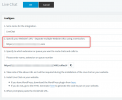
I installed Wordpress Live chat on a staging site. The LiveChat URL is entered correctly, and LiveChat is enabled under the new "Messaging:Beta" Tab.
The icon is "Grayed-out" and set as disabled=disabled via the Chrome Inspector tool.
I can access the extensions Live Chat directly via URL, though.
The only thing I can think of is that the staging site doesn't have SSL. Could that be the reason? Is SSL on the Wordpress site required for this to work?
Anything else I should check?
The icon is "Grayed-out" and set as disabled=disabled via the Chrome Inspector tool.
I can access the extensions Live Chat directly via URL, though.
The only thing I can think of is that the staging site doesn't have SSL. Could that be the reason? Is SSL on the Wordpress site required for this to work?
Anything else I should check?