Issue With Digital Receptionist

Status
Not open for further replies.

HMV_Admin

Customer
Joined
Nov 7, 2019
Messages
6
Reaction score
0
Dear All,

I am facing some issue ever since i upgraded the company 3cx from 16.0.8.16 to Version 18.0 Update 2 (Build 314). Basically whenever a call is received on our direct line, there is an inbound rule stating that the Digital receptionist ext 803 should take over. Ever since we did the upgrade the voice recording is not being heard, this was working perfectly prior to the upgrade, can someone shed some light what this issue might be ?
 
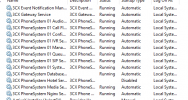
are all services started?
 
Are you able to give services a reboot?

Do any prompts work at all?

If you call the voicemail extension, do you hear anything?
 
Are you able to give services a reboot?

Do any prompts work at all?

If you call the voicemail extension, do you hear anything?
I tried rebooting the services / server itself however the issue was not solved.

Yes, if i call directly on 803 ivr i hear the recording
 
Hi @HMV_Admin,

To confirm, you're reaching the correct IVR when dialling in and following the flow you've created, but you don't hear the prompt, however when you dial directly, you hear the prompt?
 
Hi @HMV_Admin,

To confirm, you're reaching the correct IVR when dialling in and following the flow you've created, but you don't hear the prompt, however when you dial directly, you hear the prompt?
Yes exactly
 
Hi @HMV_Admin,

Are you by chance using a CFD (Call Flow Designer)? You can check this by checking your Management Console >> Advanced >> Call Flow Apps. Is there anything there?

Can you confirm that you are in fact routing to the correct IVR? You'll need to check the routing of your SIP Trunk, check the DIDs and check your Inbound Rules to see where you're routing those DIDs. Ensure when you call externally to your PBX that you're routing to the correct IVR by checking your Dashboard >> click the Number of Calls in Use row.
 
Hi @HMV_Admin,

Are you by chance using a CFD (Call Flow Designer)? You can check this by checking your Management Console >> Advanced >> Call Flow Apps. Is there anything there?

Can you confirm that you are in fact routing to the correct IVR? You'll need to check the routing of your SIP Trunk, check the DIDs and check your Inbound Rules to see where you're routing those DIDs. Ensure when you call externally to your PBX that you're routing to the correct IVR by checking your Dashboard >> click the Number of Calls in Use row.
The call flow apps are not being used,

On the other hand i checked the SIP trunk routing and is configured correctly. DID's are correctly configured.

Will test tonight with the old server to see the rounting when i call externally.
 
Hi @HMV_Admin, do let me know what you find out.
 
Status
Not open for further replies.

Forum statistics

Threads
111,974
Messages
590,083
Members
164,901
Latest member
Silent_Guru