- Joined
- Apr 1, 2023
- Messages
- 9
- Reaction score
- 3
Dear 3CX Forum members or 3CX Staff,
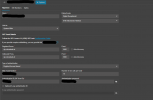
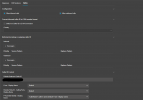
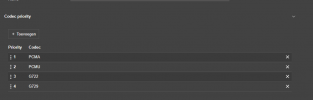
We are experiencing persistent issues with our SIP connections since upgrading to version 20 of 3CX on our on-premise installation. Despite having approximately 6 SIP connections configured, we are encountering random drops in registration. To restore connectivity, we have to manually refresh registration via the "Voice and Chat" tab in the 3CX interface.
After thorough investigation, we have ruled out any issues with our SIP provider. Both parties have confirmed that there are no connectivity issues or faults on their end. In an attempt to isolate the root cause of this problem, we have migrated our 3CX installation from Hetzner Cloud to Google Cloud and subsequently to Amazon AWS. However, these efforts have been futile, as the issue persists across different cloud environments.
It is worth noting that we utilize a non-preferred provider and employ the SIP Connect 1.1 template. Despite this configuration, we never encountered such problems prior to the upgrade to version 20.
We are reaching out to the 3CX support community in the hopes of finding a resolution to this issue. Any assistance or guidance you can provide would be greatly appreciated.
Thank you for your attention to this matter.
Sincerely,
Boyke
We are experiencing persistent issues with our SIP connections since upgrading to version 20 of 3CX on our on-premise installation. Despite having approximately 6 SIP connections configured, we are encountering random drops in registration. To restore connectivity, we have to manually refresh registration via the "Voice and Chat" tab in the 3CX interface.
After thorough investigation, we have ruled out any issues with our SIP provider. Both parties have confirmed that there are no connectivity issues or faults on their end. In an attempt to isolate the root cause of this problem, we have migrated our 3CX installation from Hetzner Cloud to Google Cloud and subsequently to Amazon AWS. However, these efforts have been futile, as the issue persists across different cloud environments.
It is worth noting that we utilize a non-preferred provider and employ the SIP Connect 1.1 template. Despite this configuration, we never encountered such problems prior to the upgrade to version 20.
We are reaching out to the 3CX support community in the hopes of finding a resolution to this issue. Any assistance or guidance you can provide would be greatly appreciated.
Thank you for your attention to this matter.
Sincerely,
Boyke