


- Joined
- May 5, 2017
- Messages
- 120
- Reaction score
- 18
Gday All,
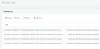
We have a 1800 number that our staff call, and have occasionally had issue with calls dropping out for no reason, looking at the 3cx activity log we saw some ack errors and lodged them with our Voice provider. (Attached as image), they cam back to us with their trace which shows the sip/2.0 200OK's referring to internal IP ranges, but not actually our internal IP Ranges, which are obviously causing the ACK's not to come back and the call to drop, as per below:
Our External IP's are removed as well as the calling/recieving number:
Please find the below 200 OK for both call sample:
SIP/2.0 200 OK
Via: SIP/2.0/UDP 125.213.160.83:5060;branch=z9hG4bK37dd5a053llbf7b7INV6ab3726b2c9
Contact: <sip:[email protected]:5060>
To: <sip:[email protected];user=phone>;tag=1e54c53f
From: "XXXXXX"<sip:[email protected];user=phone;noa=national>;tag=6ab3726b-co713-INS003
Call-ID: ac50f2-128d-1010201733544-bn04-esy1-1-59.86.190.66
CSeq: 71301 INVITE
Allow: INVITE, ACK, CANCEL, OPTIONS, BYE, REGISTER, SUBSCRIBE, NOTIFY, REFER, INFO, MESSAGE, UPDATE
Content-Type: application/sdp
Supported: replaces, timer
User-Agent: 3CXPhoneSystem 15.5.3849.1 (3392)
Content-Length: 297
-----------------------------------------------------------
SIP/2.0 200 OK
Via: SIP/2.0/UDP 125.XXX.XXX.83:5060;branch=z9hG4bK37dd5a053ll168abfINV1f803a6453f
Contact: <sip:[email protected]:5060>
To: <sip:[email protected];user=phone>;tag=1650731f
From: "XXXXX"<sip:[email protected];user=phone;noa=national>;tag=1f803a64-co1343-INS003
Call-ID: ac1119-14b1-1010201724613-bn03-esy1-0-59.86.190.65
CSeq: 134301 INVITE
Allow: INVITE, ACK, CANCEL, OPTIONS, BYE, REGISTER, SUBSCRIBE, NOTIFY, REFER, INFO, MESSAGE, UPDATE
Content-Type: application/sdp
Supported: replaces, timer
User-Agent: 3CXPhoneSystem 15.5.3849.1 (3392)
Content-Length: 297
Where on earth are the 1.1.1.1:5060 and internal loopback 127.0.0.1:5060 coming from??
We have a 1800 number that our staff call, and have occasionally had issue with calls dropping out for no reason, looking at the 3cx activity log we saw some ack errors and lodged them with our Voice provider. (Attached as image), they cam back to us with their trace which shows the sip/2.0 200OK's referring to internal IP ranges, but not actually our internal IP Ranges, which are obviously causing the ACK's not to come back and the call to drop, as per below:
Our External IP's are removed as well as the calling/recieving number:
Please find the below 200 OK for both call sample:
SIP/2.0 200 OK
Via: SIP/2.0/UDP 125.213.160.83:5060;branch=z9hG4bK37dd5a053llbf7b7INV6ab3726b2c9
Contact: <sip:[email protected]:5060>
To: <sip:[email protected];user=phone>;tag=1e54c53f
From: "XXXXXX"<sip:[email protected];user=phone;noa=national>;tag=6ab3726b-co713-INS003
Call-ID: ac50f2-128d-1010201733544-bn04-esy1-1-59.86.190.66
CSeq: 71301 INVITE
Allow: INVITE, ACK, CANCEL, OPTIONS, BYE, REGISTER, SUBSCRIBE, NOTIFY, REFER, INFO, MESSAGE, UPDATE
Content-Type: application/sdp
Supported: replaces, timer
User-Agent: 3CXPhoneSystem 15.5.3849.1 (3392)
Content-Length: 297
-----------------------------------------------------------
SIP/2.0 200 OK
Via: SIP/2.0/UDP 125.XXX.XXX.83:5060;branch=z9hG4bK37dd5a053ll168abfINV1f803a6453f
Contact: <sip:[email protected]:5060>
To: <sip:[email protected];user=phone>;tag=1650731f
From: "XXXXX"<sip:[email protected];user=phone;noa=national>;tag=1f803a64-co1343-INS003
Call-ID: ac1119-14b1-1010201724613-bn03-esy1-0-59.86.190.65
CSeq: 134301 INVITE
Allow: INVITE, ACK, CANCEL, OPTIONS, BYE, REGISTER, SUBSCRIBE, NOTIFY, REFER, INFO, MESSAGE, UPDATE
Content-Type: application/sdp
Supported: replaces, timer
User-Agent: 3CXPhoneSystem 15.5.3849.1 (3392)
Content-Length: 297
Where on earth are the 1.1.1.1:5060 and internal loopback 127.0.0.1:5060 coming from??
Attachments
Last edited:


