Issues with Yealink W80DM/B & W59R DECT Phones After V20 Upgrade

Bruce Smith

Premier Customer
Basic Certified
Joined
Mar 28, 2020
Messages
75
Reaction score
18
Since upgrading to V20 on our system, I've been encountering several issues with our Yealink B80DM/B paired with W59R DECT phones. Specifically, I'm seeing a "Path Bust" error on the DECT handsets, and at times I receive messages like "sync failed" or "wait syncing" when performing basic functions—whether it's resetting the handset, accessing the phone book, or initiating a call.

Additionally, there are instances when calls get disconnected abruptly after just one ring. These problems did not occur before the upgrade, so I'm looking for guidance on possible fixes or workarounds.

Has anyone experienced similar issues, or does anyone have suggestions on resolving these errors?
Thanks in advance!
 
Hi Bruce,

I suppose you meant to say W80DM (DECT Manager) and the accompanying W80B (Base).
We have them running successfully on V20 since the first release over a year ago and they've recently had a new firmware released.

Follow our guide and upgrade the firmware on the DM, base, and handsets. You might have to factory reset and reprovision everything, they autoprovision now so all you have to do is just sync the Base to the DM and register the handsets again, not too much trouble.

The "sync failed" or "wait syncing" errors have to do with the handset and the base, not with 3CX. But the above might help, give it a try and see how it goes.
 
  • Like
Reactions: ivank
Since upgrading to V20 on our system, I've been encountering several issues with our Yealink B80DM/B paired with W59R DECT phones. Specifically, I'm seeing a "Path Bust" error on the DECT handsets, and at times I receive messages like "sync failed" or "wait syncing" when performing basic functions—whether it's resetting the handset, accessing the phone book, or initiating a call.

Additionally, there are instances when calls get disconnected abruptly after just one ring. These problems did not occur before the upgrade, so I'm looking for guidance on possible fixes or workarounds.

Has anyone experienced similar issues, or does anyone have suggestions on resolving these errors?
Thanks in advance!
We have several customers on W80DM/B solutions and these work perfectly with no issues.

I would suggest making sure all the bases are showing as active and synced first, then try re-registering the handsets
 
Hi all bases show as active and synced and updated to the lates FW for 3cx and same for the hand sets. I will try and re register some of the hand sets but that should not need doing.
 
Hi Bruce,

I suppose you meant to say W80DM (DECT Manager) and the accompanying W80B (Base).
We have them running successfully on V20 since the first release over a year ago and they've recently had a new firmware released.

Follow our guide and upgrade the firmware on the DM, base, and handsets. You might have to factory reset and reprovision everything, they autoprovision now so all you have to do is just sync the Base to the DM and register the handsets again, not too much trouble.

The "sync failed" or "wait syncing" errors have to do with the handset and the base, not with 3CX. But the above might help, give it a try and see how it goes.

Hi I have reprovisioned the W80DM after a factory reset after updating, I have 4 W80B and 33 phones I never had any issues be the upgrade.
 
Hi I have reprovisioned the W80DM after a factory reset after updating, I have 4 W80B and 33 phones I never had any issues be the upgrade.
Hi Bruce,
we have the same problem, could you tell us the firmware versions used?
 
@pvecchia Hi there, the FW I have used is the from here
https://www.yealink.com/en/solution-detail/resource-for-3cx

W80DM-103.87.0.10

and some of the hands set are a mix of
W59R-115.85.0.35
W59R-115.87.0.5

both are had the same issues, i have notice some of the W80DM/B units will only work on 10mb half duplex no matter what cable or switch I use, even forcing it from the switch makes no difference, i have spent hours Factory resetting the units and testing with different phones and firmware, i have a test Lab set up with the same configs and FW and i have no issue i am at a loss.

Even monitoring call quality using 3cx says it's fine but I can see the call drop when on site with a customer but I see no reports in 3cx it says its all fine.
 
Even monitoring call quality using 3cx says it's fine but I can see the call drop when on site with a customer but I see no reports in 3cx it says its all fine.
Good, that means there is no issue between 3CX and the DM. But you yourself said that sync is failing with the bases, which happens after the DM so this should not come as a surprise.

From all the above it just sounds like networking and possibly radio issues, but nevermind that, open a ticket with Yealink Support.
 
@JohnS_3CX, sop open a ticket about the phone not working right after upgrading to your custom FW. that sounds like a you issue, I will open a ticket and see what happens.
 
Ticket open we will see what happens.
 
open a ticket about the phone not working right after upgrading to your custom FW
That's a wrong assumption. Yealink writes the firmware and makes the hardware. They are the ones who provided it and tested it. They are even the ones who host the files on their website.

I'm just following the breadcrumbs you put down to wherever they leads us:

- The DM is ok and even the quality report shows its ok
- You are seeing sync issues between the bases and DM
- The interfaces connect at 10M half duplex
- The ones in your test lab work fine

Who is most qualified to troubleshoot the hardware and/or the firmware, the ones that made it or your PBX developer?
 
Just going to add this below for people to find

---------------------------------------
Thank you for reaching out.

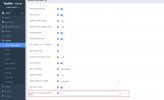
Regarding the issue, the “Path busy” error typically occurs when too many handsets are connected to the same base. Please note that each base supports a maximum of 8 handsets.

You can check and modify this setting on the DM interface to see if it resolves the issue:

image.png

-----------------------------------------------------------------------------------------

So the "Number Of Active Handsets Per Base" is set to 4 as default his is the Wide band default setting you can have 8 handsets per base using Narrow band.

This makes no sense, I have 34 phones working for a yr on just 2 base units no issues that's 17 phones each base when I should have had 9 bases using the default setting of 4 handsets per base, now it's set to 8 phone per base I need 5 as I'm just over by one.
 
Just going to add this below for people to find

---------------------------------------
Thank you for reaching out.

Regarding the issue, the “Path busy” error typically occurs when too many handsets are connected to the same base. Please note that each base supports a maximum of 8 handsets.

You can check and modify this setting on the DM interface to see if it resolves the issue:

View attachment 47889

-----------------------------------------------------------------------------------------

So the "Number Of Active Handsets Per Base" is set to 4 as default his is the Wide band default setting you can have 8 handsets per base using Narrow band.

This makes no sense, I have 34 phones working for a yr on just 2 base units no issues that's 17 phones each base when I should have had 9 bases using the default setting of 4 handsets per base, now it's set to 8 phone per base I need 5 as I'm just over by one.
Only if the need to all talk at the same time.
 
@CentrexJ


There new reply just now,
----------------------------------
This limitation applies to the number of active handsets in the system, as the signal path resources on each base are limited.
While you were able to connect 34 handsets to just two bases, if not all of them were active simultaneously.
-----------------------------------------------------

But with no one on the phones and 34 active handsets, I get the signal path busy, I will need go to site and add 2 more base unit to see if it resolves the issue.
 
@CentrexJ


There new reply just now,
----------------------------------
This limitation applies to the number of active handsets in the system, as the signal path resources on each base are limited.
While you were able to connect 34 handsets to just two bases, if not all of them were active simultaneously.
-----------------------------------------------------

But with no one on the phones and 34 active handsets, I get the signal path busy, I will need go to site and add 2 more base unit to see if it resolves the issue.
I would reach out to yealink support.
 
@CentrexJ you not read the tread and understood it, the reply's I have been posting are from Yealink support.
 
  • Like
Reactions: CentrexJ
@Bruce Smith I don't know if you found the fix for the 10Mbps half duplex issue, but here is the fix in case others are looking. It is related to Low Power mode being enabled in V103.87.0.10. It needs to be disabled to allow the W80B's to be 100Mbps Full Duplex. The low power mode didn't appear to reduce the W80DM's down to 10Mbps, just the W80B's.
 
@Ultim878 Hi i did manage to sort the half duplex out buy turning that off.
 
@Bruce Smith Yes that fixed the issue. Just changed that setting in the W80DM and it sorted it.
 

Members Online Now

No members online now.

Forum statistics

Threads
111,831
Messages
589,277
Members
164,660
Latest member
RJenkinsROCK