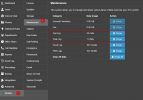
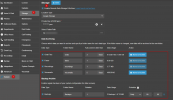
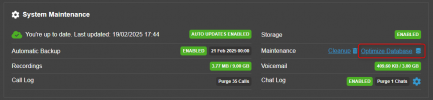
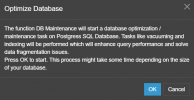
One thing to consider when purging data is that, as you would expect, the data will be gone. That seems pretty obvious. But if the data is gone and you want to run historical reports you will not be able to go back further than the data that exists. So let this fact inform your decision about what data to purge.
To your point, I understand the desire to make 3CX backups manageable. Nobody wants to take 2 hours to recover a failed system with a backup that takes multiple hours to restore.
I have a suggestion you may want to consider. Yes, this is a self-serving suggestion. But perhaps you can have your cake and eat it too. I encourage you to take a look at our
3CX Exporter tool. This tool replicates all the data from 3CX to SQL Server, or MySQL or MariaDB. It performs this replication on a scheduled basis. The default is every 60 seconds, but you can adjust the frequency to whatever you need.
The beauty of this approach means you can purge historical data from 3CX -- say call history older than 1 year, and you will still be able to generate historical reports reaching back to the beginning of time. You get the 3CX data optimization, increased performance, and faster backups and recovery, but still have all the data.
But a word of caution...
What you do NOT want to do is perform a backup that does not include history. Restoring this backup to a new instance of 3CX effectively creates a completely new database. 3CX tables all include an auto-incrementing unique key. Starting a new database resets the keys back to zero. When you try to replicate the new records with your existing historical data previously replicated, you will have duplicate unique keys and all future replications will fail.
So, as usual,
@NicholasP_3CX has provided the absolute best advice for managing your growing 3CX database. Purge your data to a manageable amount of history, and DO NOT just start over with a new database if you want to be able to run historical reports.