Linksys SPA-3102 Can't Receive Incomming Call

Status
Not open for further replies.

michael880308

Joined
Sep 13, 2009
Messages
13
Reaction score
0
Hi everyone:
I know this has been asked for many times and I've already read many discussions on this board, still doesn't solve the problem.
Still, it appears "Rinning" on the "Info" tab on spa-3102 but no respond on the 3CX Server even no any logs of the call, the gaetway line still appears green light, I even turned of the firewall but no use, the Syslog appears this when incoming call:

09-13-2009 16:10:56 Local2.Debug 192.168.0.11 FXO:Start CNDD

then nothing else, when call end, the folling appears:

09-13-2009 16:12:58 Local2.Debug 192.168.0.11 CC:Clean Up
09-13-2009 16:12:25 Local2.Debug 192.168.0.11 FXO:Stop CNDD
09-13-2009 16:12:25 Local2.Debug 192.168.0.11 AUD:Stop PSTN Tone
09-13-2009 16:12:25 Local3.Debug 192.168.0.11 FXO:On Hook
09-13-2009 16:12:25 Local2.Debug 192.168.0.11 AUD:Stop PSTN Tone

I had already followed the guide on 3CX site and did evering it says, PSTN line appears "Registered" and outbound call is working fine, the normal PSTN line voltage is between: -51v~-52v, when call comes it changes like this: -51~-128~11~-51(maybe this helps). Could someone PLEASE help me because it's driving me CRAZY!
Best Regards.

 
Hello,
this volts because it's rings
do you have anothe analog devices on the same line
any way reduce Line-In-Use Voltage to 10
also change pstn port to 5062
 
It's not necessary to change the port to 5062 as long as both devices within the 3102 (The FXS and FXO) are both using different ports, like 5060 and 5061, which I believe is the default. Have you gone into the PSTN tab>VoIP to PSTN to VoIP Gateway Setup>PSTN Ring through line 1... and set that to no? The factory default is yes and if line 1 is enabled it will try sending incoming calls from the PSTN to the FXS port after the delay specified in PSTN Ring thru Delay.
 
Don't forget to tell the SPA3102 where to send calls. On the PSTN line configuration, you need to enter something like (S0<:10014>) in dial plan 8, where 10014 is the ID number of the gateway. Otherwise the gateway will not be able to route incoming calls to the 3CX. I wonder whether that might be the problem?
 
All, I have also installed an SPA-3102 to replace an SPA-3000. Whilst it is working fine, I also cannot get a call inbound via the PSTN to ring the IP phone. I did have this working on the SPA-3000 and have mirrored the config!

I cannot receiving incoming calls via the PSTN on the IP Phone, despite having successfully achieved this with the SPA-3000. I have followed
Configuring Linksys 3102 for 3CX Phone System (http ://www.3cx.com/voip-gateways/linksys-3102/ - NO LONGER AVAILABLE) step-by-step, and also followed some pointers in this post.

Note to Leejor - I have turned Line 1 to NO and set the PSTN Ring thru line 1 to off, no joy.

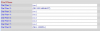
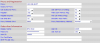
Here are some screenshots of the setup. Any ideas ? I have checked the 3CX Activity Log and nothing showing, so it's as though the PSTN gateway receives but does not pass it onto the SIP Server to connect the call.

PSTN-to-VOIP Gateway Setup


Dial Plans


Proxy and Registration/Subscriber information


Any ideas ?
 

Attachments

  • Capture1.PNG
    Capture1.PNG
    10.1 KB · Views: 6,778
  • Capture2.PNG
    Capture2.PNG
    5.5 KB · Views: 6,778
  • Capture3.PNG
    Capture3.PNG
    13.7 KB · Views: 6,771
What is your PSTN Answer Delay set for?
Is One Stage Dialing set to YES?
 
leejor said:
What is your PSTN Answer Delay set for?
Is One Stage Dialing set to YES?

PSTN Answer Delay is set to: 0 (zero)

One Stage Dialling is set to Yes.
 
HELLO,
what is your line1 and pstn ports at spa and 3cx server
why dial plan 2 has value?
do you use fixed lan ip or dhcp?
what is lin in use voltage ?
 
I was having the same trouble until I discovered that if you click on the provisioning tab of your 3102 and go down to where it says 'profile rule' under 'Configuration Profile' and put in "http://(ip address of your 3cx):5481/provisioning/linksys3102.xml" then it will pull down the configuration file and then your 3102 should work to allow incoming calls. Make sure you tell the 3cx what phone you want the gateway to ring in on. Worked for me after many frustrating hours following the setup guide word for word. I am using Cassini also. This is assuming you are able to make outgoing calls with no problem. By the way the file the 3102 is looking for is in 'documents and settings/all users/application data/3cx/data/http/interface/provisioning/linksys3102.xml'. I am using xp pro. Hope this helps.
 
Try removing the "*" in the "PSTN Caller ID Pattern". Once I did that and rebooted the device, voila, it worked like a charm, inbound and outbound calls. A bit miffed that this misinformation has not been revealed before in this forum. :roll: :x :evil: Good Luck with your configuration.
 
I just wanted to comment that the above solution worked for me! Thanks Ping_it!!
 
Yup removed the * and all works perfectly! Incoming and outgoing calls. The frustrating thing is that in the guide from 3CX it states... e. Set the "PSTN Caller ID Pattern" field to "*".

Next issue is to see if I can get the Caller ID passed through, my Linksys SPA921 handset shows the call as coming from the name I set in the Display Name in the Subscriber Information.
 
Removing the * worked for me as well.

let me know if you can get the Caller ID working as well.
 
Hi Guys,

I am having the same problem but with an SPA3000, I used the guide to setup and have used the suggestions above but still no joy, I have even done a network trace and when a call hits the spa there are no packets going to the 3cx.

Any body have any other suggestions.
 
Hi all,
First, sorry about making the reply so late(as I started it) because there was a time that I've give it up! Recently I install my 3CX back and re-setup the SPA 3102, after getting up here again, this problem solved by removing * form "Caller ID Pattern" in PNST to VoIP section, thank you all for your help, hope everyone doesn't get stock for this anymore!
Best Regards
Michael Lu
 
Status
Not open for further replies.

Latest Posts

Forum statistics

Threads
111,880
Messages
589,533
Members
164,735
Latest member
998742