Live chat disabled due to CORS 'Access-Control-Allow-Origin' IPblacklist

Status
Not open for further replies.

duytoi

Free User
Joined
Jun 23, 2024
Messages
17
Reaction score
0
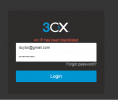
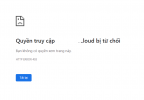
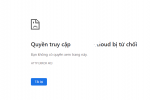
The live chat 3CX on my website is greyed out. When logging into the dashboard, there is a message stating 'An IP has been blacklisted.' Why is this issue happening to me? What should I do to resolve this problem?

ip_blacklist.png
ip_blacklist2.png
ip_blacklist3.png
ip_blacklist4.png
 
In the Live Chat configuration in the PBX, can you please configure your website in https://www. format and check again?
 
In the Live Chat configuration in the PBX, can you please configure your website in https://www. format and check again?
The issue is that the 3CX chat was working normally, and now I can't log into the 3CX dashboard. When logging in, it shows a message 'An IP has been blacklisted' as shown in the image I sent above
 
This means that your public ip is blacklisted.
You have to wait for 24 hours in order to be released.
 
This means that your public ip is blacklisted.
You have to wait for 24 hours in order to be released.
Is the banned IP in this list the WAN IP of my organization’s network or the IP of the country? Can I know the reason why the IP is banned on 3cx?
 
This is for the public ip of your organization network.
Have you tried to add any ip phone?
 
This is for the public ip of your organization network.
Have you tried to add any ip phone?
No, I haven't set up any phone lines yet; I'm only using live chat for customer support staff.
 
Status
Not open for further replies.

Forum statistics

Threads
112,147
Messages
590,959
Members
165,167
Latest member
Finatra.us