Solved Mapping Doesn't Match!

Status
Not open for further replies.

liambroughton500

New User
Joined
Jul 5, 2021
Messages
5
Reaction score
1
Hello all,

So I have been attempting to setup a basic 3cx system (version 16.0.8.9) and I am coming across an error which is showing the below on my firewall checker:

  • resolving 'stun-eu.3cx.com'... done
  • resolving 'stun2.3cx.com'... done
  • resolving 'stun3.3cx.com'... done
  • resolving 'sip-alg-detector.3cx.com'... done
  • testing 3CX SIP Server... failed (How to resolve?)
    • stopping service... done
    • detecting SIP ALG... not detected
    • testing port 5060... Mapping does not match 5060. Mapping is 62414. (How to resolve?)
    • starting service... done
  • testing 3CX Tunneling Proxy... failed (How to resolve?)
    • stopping service... done
    • testing port 5090... Mapping does not match 5090. Mapping is 38217. (How to resolve?)
    • starting service... done
  • testing 3CX Media Server... failed (How to resolve?)
    • stopping service... done
    • testing ports [9000..9398]... failed (How to resolve?)
      • testing port 9000... Mapping does not match 9000. Mapping is 41264. (How to resolve?)
      • testing port 9002... Mapping does not match 9002. Mapping is 63067. (How to resolve?)

I believe I have forwarded the correct ports in my router (I have attached the print screen of the ports I have forwarded). I am using a GEM420 4G Router from PRORoute.

Calls seem to work fine internally, I just cannot access the 3cx system externally.

I have also turned off SIP ALG on my router, and enabled uPnP.

Would anyone be able to assist me with this please?
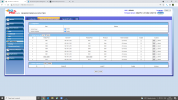
 

Attachments

  • Forwarded Ports.png
    Forwarded Ports.png
    174.8 KB · Views: 85
So the first thing I notice is that it's a 4G router so you'll be behind Carier Grade NAT.

You will not be able to port forward to your PBX because of this.

Your only solution is to move your 3CX in to the cloud and have an SBC on premise.
 
  • Like
Reactions: JohnS_3CX
As above, 4G router use CCNAT which does not allow port forwarding.

Depending on your sim provider, you may be able to get a fixed ip address sim card (we can in the uk)
 
  • Like
Reactions: JohnS_3CX
Thankyou all for your replies.

I thought this may be the case because of the SIM card not having a static I.P.

I will try and get this connected to a network which has a static I.P and try again!
 
Hi all,

So I have tried to connect to a different 4G router that we have in the building. This one has a Static I.P SIM, so I should be able to use this for my 3cx system.

After changing my 3cx server I.P (through linux command) I can now view my management console. I had to do this as my server was on I.P 192.168.1.250, and the new router subnet is 192.168.8.1. My server is now on 192.128.8.250.

When testing the firewall I get the following errors:


Any idea why I cannot get through to WAN?

Thanks!

-Liam.
 
Looks like DNS resolution problem.

When you changed the IP on your Linux machine, did you also adjust the DNS Server IPs?
on Linux I believe you need to adjust these in /etc/resolv.conf

Make sure you remove any DNS servers that don't work as the system will most likely still try to use them, util they timeout.
After making these changes, best restart the whole server, checking from command line that you can resolve these URLs, then try again from the 3CX MC.
 
Looks like DNS resolution problem.

When you changed the IP on your Linux machine, did you also adjust the DNS Server IPs?
on Linux I believe you need to adjust these in /etc/resolv.conf

Make sure you remove any DNS servers that don't work as the system will most likely still try to use them, util they timeout.
After making these changes, best restart the whole server, checking from command line that you can resolve these URLs, then try again from the 3CX MC.
Hi Nick,

Thanks for the quick reply on that.

I am currently going through re-installing 3CX onto my machine. I am completely overwriting my previous install so it should be completely fresh.

Kind Regards,

-Liam.
 
Just a quick update on this.

After re-installing my 3CX system and setting it up with a 4G Router with a Static SIM. I can now confirm that my firewall test now passes.

Thanks for the assistance with this.

-Liam.
 
  • Like
Reactions: NickD_3CX
Excellent Liam!

Glad to hear you got it sorted out!
 
Status
Not open for further replies.

Forum statistics

Threads
111,974
Messages
590,081
Members
164,899
Latest member
mazet