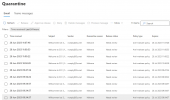
False positive Microsoft 365 Defender alert for URL of 3CXPhoneforWindows16.msi

netops

Premier Customer
Joined
Aug 1, 2022
Messages
2
Reaction score
2
Microsoft 365 Defender today detected the URL https://downloads-global.3cx(dot)com/downloads/3CXPhoneforWindows16.msi as malware and is quarantining the emails containing the link.

Are any other customers experiencing this?

Thank you
 
Last edited:
  • Like
Reactions: ltri37
Thank you for bringing this to our attention. We have not had any reports of this being flagged by any AV vendor. We will initiate communication with this Vendor and we will inform you of their response as soon as they reply.

Our communication will remain transparent throughout this investigation.
 
We are seeing the same thing. When running some tests...the Alert messages are going through, Email test messages, but the Welcome emails are getting blocked and tagged a Malware. I wasn't able to determine what it was blocked for...but a URL makes sense...as the non-welcome emails are going through.
 
I was able to remove that URL from the welcome email and foward it from my gmail account to an Office365 account that was previously being blocked...so @netops has the correct URL/issue.
 
@sneffets, thanks for your input. We are looking into this and will reply once we have any further information to offer.
 
Hi, just a quick update on this subject, this issue is not directly related to the 3CX SMTP server, instead the welcome emails are being flagged by the Microsoft 365 Defender for an issue we are have currently informed them of and awaiting their response.
 
Ha, I wonder if “please, I’m not sending malware” is easier or harder to prove to MS than “please, I’m not a spammer.”

FWIW as alluded to above, one might try editing the welcome email template to remove that URL. It might help, though will be the same sender. The edit can be reverted/custom email template deleted.
 
Indeed I confirm that removing the download link to the old legacy MSI in the Email template works around this issue.

It's in Settings/System/Email/Email Templates/Extension Welcome

--> search for MSI and remove the entire <a href> html tag
 
Indeed I confirm that removing the download link to the old legacy MSI in the Email template works around this issue.

It's in Settings/System/Email/Email Templates/Extension Welcome

--> search for MSI and remove the entire <a href> html tag
I did the test and it worked that way, tks
 
Hi all

We have submitted this to Microsoft for review and awaiting their reply. Once we have an update, we will provide it here.
 
Has there been any update on this?
 
Hi all

We have submitted this to Microsoft for review and awaiting their reply. Once we have an update, we will provide it here.
Thank you Charles

will this issue also be affecting the reports emails as well i suppose.
 
The issue only affects emails containing the link to the legacy client, every email without that link goes through just fine. That is also why the workaround changing the Welcome email works.
 
I used the workaround earlier and it was fine, but now I see that - certainly with M365 - the emails are getting blocked and immediately marked as 'Malware' by Defender, even after removing the link to the MSI from the template.
 
@Justin Moors still works fine here for me on M365 with the workaround applied, email just went through without issues.
 
@Justin Moors still works fine here for me on M365 with the workaround applied, email just went through without issues.
It worked fine earlier today, but it has stopped now. I'm pushing people over to using M365 to send 3CX emails now.
 
Hi all

We have submitted this to Microsoft for review and awaiting their reply. Once we have an update, we will provide it here.
Hi Charles,
just a short additional info - our 3CX instances are configured to send e-mails out via M365 tenant / Exchange Online
We are experiencing the same issue - when download link for legacy PC client is included, the e-mail gets quarantined.
So the situation affects both receiving e-mails (if recipient is behind M365) and also sending e-mails out vi M365.

Jakub
 
  • Like
Reactions: Charles_3CX
Yeah an attacker bypassing Anti Malware Policies on 365 just because he is using M365 to send it would kind-of defeat the purpose (of anti malware technology).

I can still successfully send Welcome Emails with the workaround in place from 3CX infrastructure to my 365 tenants.

But it is certainly possible that IP addresses of 3CX get lower reputation now due to the perceived amount of malware coming from that IP and that in some cases the emails don't get through anymore due to the lower reputation.
 

Forum statistics

Threads
111,974
Messages
590,081
Members
164,899
Latest member
mazet