Microsoft teams on 3CX v20 outbound calls

RM-Da

Silver Partner
Joined
May 7, 2025
Messages
26
Reaction score
7
Hello guys,

I've made all settings to integrate Teams on 3CX and always seems ok, but when I try to make a outboud calls from Microsoft Teams I've obtained that
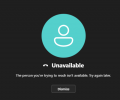
1757404585906.png

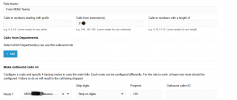
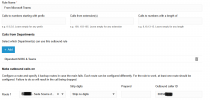
I'm trying to set the outbound rule for my EXT in this way
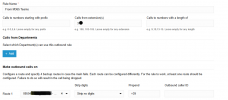
1757404634026.png
and the log is this
1757404725305.png


Someone can help me? thanks a lot.
 
Hello,

How is the number coming in from Teams? Do you need to prepend the country code, or does Teams already set it?
 
Hello RM-Da,

When you would login to the 3CX webclient as the same user account, and dial the same number from the webclient, does it work fine?
Meaning you can take out the 'Teams' part.

Then after the test, compare the Log to investigate the numbers being dialed out.
Let us know the outcome, please.

Paulo
 
Hello,

How is the number coming in from Teams? Do you need to prepend the country code, or does Teams already set it?
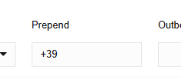
in E164 format +39
1757489573516.png
if I remove the dedicated outboud rule from 3CX the call is fine, while on teams no.
1757489957268.png
 
Last edited:
Hello RM-Da,

When you would login to the 3CX webclient as the same user account, and dial the same number from the webclient, does it work fine?
Meaning you can take out the 'Teams' part.

Then after the test, compare the Log to investigate the numbers being dialed out.
Let us know the outcome, please.

Paulo
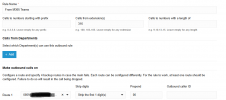
I set a outbound rule dedicated to my EXT for making the test.

1757489724124.png

this is the log from my desk phon and teams... same issue

1757489693381.png

1757489836628.png
 
Hello,

Does your SIP provider expect + or 00 ? Do they allow calls to +39 in general? Some providers need you to enable calls to certain countries via their web interface.
 
Hello RM-Da,

So in this case, there does not seem to be a problem with Teams, but with the Dial-out on the SIP Trunk.
1757490049439.png
Let's start with remove of the +39, and test.
Also test to remove the + and change it to just '39' in the Prepend

If this does not work, contact SIP Trunk Provider, on how to provide outbound number.

Paulo
 
  • Like
Reactions: KyriacosS_3CX
Hello RM-Da,

So in this case, there does not seem to be a problem with Teams, but with the Dial-out on the SIP Trunk.
View attachment 49303
Let's start with remove of the +39, and test.
Also test to remove the + and change it to just '39' in the Prepend

If this does not work, contact SIP Trunk Provider, on how to provide outbound number.

Paulo
Hi
I tried both solution but nothing same issue with "+39" or without "+". I've to try the outbound call using another EXT and that has been fine.
 
Hello,

Does your SIP provider expect + or 00 ? Do they allow calls to +39 in general? Some providers need you to enable calls to certain countries via their web interface.
I've tried to call using 0039 XXXXXX from another EXT and the outbound call has been Ok
 
  • Like
Reactions: KyriacosS_3CX
Hello,

As KyriacosS_3CX had already mentioned, does work perfect with 00 and not +.
This means you now have a working sollution ?

Paulo
 
Hello,

As KyriacosS_3CX had already mentioned, does work perfect with 00 and not +.
This means you now have a working sollution ?

Paulo
Sorry I expressed myself badly.

II've just tried that calling via 3CX using 0039 or +39 and the call is perfect, but using teams the issue is always present. It was a test to see the SIP provider permit the outbound call with format E154
 
Hello RM-Da,

I would guess that Teams does dial +39 and should dial 0039.
You can edit the outbound rule to strip 1 digit (+) and add '00', in this case it should work.

Paulo
 
Hello RM-Da,

I would guess that Teams does dial +39 and should dial 0039.
You can edit the outbound rule to strip 1 digit (+) and add '00', in this case it should work.

Paulo

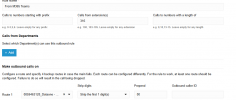
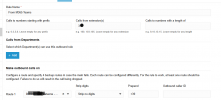
I tried in this way

1757500416399.png

but seeing the log on 3CX the number is not correct,
1757500367612.png

removed the log is that
1757500824802.png
1757500869473.png

but nothing
 

Attachments

  • 1757500236087.png
    1757500236087.png
    40 KB · Views: 2
I'm calling to SIP provider because I don't know where is the issue. I'll upgrade the post when I'll have a reply.
 
Last edited:
I found a difference in the SIP trunk configuration.
The SIP provider is the same, but I see that the number that allows me to call from Teams is configured in this way,

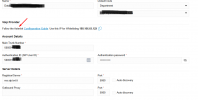
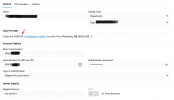
1757575644477.png
while the other one, that doesn't permit the calls via teams is configured this way.
1757575684696.png
now I tried to configure the first one with the same way then second one and the outbound call is not working. While I dont' try to make the same test reversing the data because I dont find any SIP type like first one
 
I dont' know if the SIP provider has done somenthing but now the outbound call from teams works well. In the Outbound rule I've set this
1757598762432.png
 
  • Like
Reactions: KyriacosS_3CX
Perfect ! :)
 

Members Online Now

Forum statistics

Threads
111,831
Messages
589,277
Members
164,660
Latest member
RJenkinsROCK