Migrate from On-prem to Azure (self-hosted)

dean.s

Customer
Joined
Nov 26, 2025
Messages
5
Reaction score
1
Hi All,

We currently have self-hosted 3cx server running in a data centre and would like to migrate over to Azure using a self-hosted server again.

From my understand, the process would be to log onto the partner portal where you have your FQDN assigned, select the install server > self hosted, etc and follow the steps. Once the server is up and running, we are to do a full backup and then a restore into the new server.

One thing I am however not understanding is, how do we update the public IP for the FQDN that we have been given to the new servers public IP? Do we have to shut down the old server and go to the network section and simply change the external IP address? We have the pro license and therefore have to wait for 6 hours for this to update. The other thing I am not certain off is how do we revert back if something is not working as expected. Do we simply turn off the new server and turn on the old one?

Any assistance / advise would be much appreciated.
 
You're already self hosted so no need to go through that install again.

Turn off any console restrictions.

Clear out logs / old firmware and archive off any recordings and such if you can.

Run a full backup.

Turn off old PBX.

Run through installer on new PBX and restore your backup.

Turn on console restrictions.

the DNS change, typically is fairly quick.

If it hits the fan, turn off new and turn on old and wait for DNS again.
 
Hi Alphabetic,

thank you for your response. Just to clarify. To run through the installer for the new server, are you referring to logging onto portal.3cx.com > under type select install and then select the > self hosted (private cloud)?

Regarding the DNS change, i cannot see a way to change the public IP through the portal, but only on the 3cx admin portal. the FQDN is 3cx provisioned/registered so not managed through our domain registrar.

Assuming all goes well, will all registered phones require anything to be done on them, or they should simply pick up the new IP through the FQDN and work as normal?

If we are to revert back to the old server, we only need to turn it on and the FQDN will automatically initiate a public IP update or is there a way to force it?

Apologies for all the questions, haven't gone through this process before so a bit unsure of everything.
 
Are you looking to install 3CX from the ISO or run it from one of the wizards 3CX offers? If the wizard, then run through the installer as originally planned.

You do not change the public IP, this is detected when you do a license refresh / restart 3CX and it talks back to licensing server.

Phones should be either router phone or using an SBC - the SBC may need to be restarted to pick up the DNS quicker - You may want to check your phones / SBC are using 1.1.1.1 for their DNS server for a quicker turnaround.

If you need to revert, turn off new server and on the old server do a license refresh or restart the services so it can notify the license server of the IP address and be updated.
 
Yes, according to the guide, we are using the 3cx wizard and then doing the full backup from the old server and restore to the new server. Regarding the public IP, that is a relief, thank you. As the pro license states 6 hours, this doesn't always mean full 6 hours i assume as you've mentioned its fairly quick.

The phones do not use router phone, we use Yealink SIP phones which are set using the details provided from the 3cx admin portal (extension, auth id, auth password, registrar hostname and sip port).
 
Ew stun?

Just make sure they point to fqdn.
 
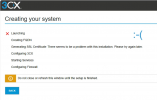
Sorry guys, just attempting to install through portal.3cx.com using the self hosted private cloud, but getting the following error. Any idea?
 

Attachments

  • 3cx.png
    3cx.png
    145.6 KB · Views: 6
Please ignore the above reply. We had to go through the Azure Market Place option, then use the config file to be able to get into the 3cx server and then do an update to bring it up to date and then restore the backup which went successful. Had to then modify the backups folder to give permissions as the scheduled backups would fail.
 
  • Like
Reactions: KyriacosS_3CX

Latest Posts

Forum statistics

Threads
111,953
Messages
589,916
Members
164,851
Latest member
DrunkeMeister