Mobile phone 3cx app not conecting

Status
Not open for further replies.

technical@unifiedtelecoms

Bronze Partner
Joined
Apr 3, 2024
Messages
10
Reaction score
1
Hi there the app on my phone samsung S22 won't connect if using data. When I change it to wifi on a different network as the 3cx, it connects wright away, I turn off the wifi and it goes from green the grey and says connecting but does nothing.my firewall is checked and there is no errors and all ports have been forwarded on my router 3cx firewall.jpeg
 
Hello,

Have you configured the firewall with the correct port forwarding as mentioned in our guide Firewall & Router Configuration?
Also can you access the 3CX Management Console remotely?
 
If you use 4G connection and open a browser from your mobile, then type the FQDN, are you able to reach it?
 
Hello,

Have you configured the firewall with the correct port forwarding as mentioned in our guide Firewall & Router Configuration?
Also can you access the 3CX Management Console remotely?
Yes the firewall and router is configured correctly ,and no i cannot access 3cx management console remotely.
 
If you use 4G connection and open a browser from your mobile, then type the FQDN, are you able to reach it?
from the phone i cannot reach the FQDN remotely
 
Not being able to reach your Management Console using the FQDN remotely means that your Firewall is blocking it.
Port 5090 (inbound, UDP and TCP) is needed for the 3CX App along with Port 443 or 5001 (inbound, TCP) HTTPS for Presence and Provisioning, or the custom HTTPS port you specified.
Please note that the firewall checker does not check port 5090 TCP, so make sure that the port is correctly forwarded.

If you try to reach the FQDN from a PC with another Public IP are you able to?
 
  • Like
Reactions: OlegR_3CX
Not being able to reach your Management Console using the FQDN remotely means that your Firewall is blocking it.
Port 5090 (inbound, UDP and TCP) is needed for the 3CX App along with Port 443 or 5001 (inbound, TCP) HTTPS for Presence and Provisioning, or the custom HTTPS port you specified.
Please note that the firewall checker does not check port 5090 TCP, so make sure that the port is correctly forwarded.

If you try to reach the FQDN from a PC with another Public IP are you able to?
Hi ,yes i can remotely login to the management console
 
Not being able to reach your Management Console using the FQDN remotely means that your Firewall is blocking it.
Port 5090 (inbound, UDP and TCP) is needed for the 3CX App along with Port 443 or 5001 (inbound, TCP) HTTPS for Presence and Provisioning, or the custom HTTPS port you specified.
Please note that the firewall checker does not check port 5090 TCP, so make sure that the port is correctly forwarded.

If you try to reach the FQDN from a PC with another Public IP are you able to?
Ok I'll check the port forwarding again ,thank you very much.
 
  • Like
Reactions: OlegR_3CX
Blacklisted IP?
 
This is a network related issue.
Check for blacklists, ip restrictions or even geolocation restrictions on your firewall.
 
Not being able to reach your Management Console using the FQDN remotely means that your Firewall is blocking it.
Port 5090 (inbound, UDP and TCP) is needed for the 3CX App along with Port 443 or 5001 (inbound, TCP) HTTPS for Presence and Provisioning, or the custom HTTPS port you specified.
Please note that the firewall checker does not check port 5090 TCP, so make sure that the port is correctly forwarded.

If you try to reach the FQDN from a PC with another Public IP are you able to?
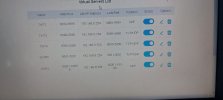
Good Morning ,hope you are doing well today. i have checked the router setup and it is correct ,ill attach a pic
 

Attachments

  • TWT Router ports.jpeg
    TWT Router ports.jpeg
    82.1 KB · Views: 9
Have you also checked your https port 443 or 5001 (inbound, TCP)?
 
If you are unable to reach the FQDN this is an issue with https port.
You need to check your firewall, also check the guideline here for more information.
 
Dear @technical@unifiedtelecoms
Is your 3cx configured with an IPV6 too ? in that case do not forget to replicate the NAT for IPV6 on your FW !
 
In any case this is related with firewall configurations that needs to be checked.
 
Status
Not open for further replies.

Members Online Now

Forum statistics

Threads
111,831
Messages
589,277
Members
164,660
Latest member
RJenkinsROCK