Moving recordings to linux box

Status
Not open for further replies.

liamkelly

Bronze Partner
Advanced Certified
Joined
Sep 5, 2019
Messages
27
Reaction score
2
Hi,

I've migrated a 3cx instance from windows to linux, the customer has a sizeable chunk of recordings so I wanted to move these separately, however when I go to do this via scp or sftp I get an error denying permissions. Is this just a case of needing to assign permissions on the folder or something more sinister?
 
Am I able to change the user password for the account "phonesystem"?
 
Hey

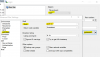
download a program called WinSCP

when logging in make sure you change the following settings:

Click Advanced > SCP/Shell > Shell: sudo su -

then log in to the 3CX and you should have permission.

1587462987688.png
 
  • Like
Reactions: liamkelly
Hey

download a program called WinSCP

when logging in make sure you change the following settings:

Click Advanced > SCP/Shell > Shell: sudo su -

then log in to the 3CX and you should have permission.

View attachment 15694
Thanks! :) I'm a bit of a linux noob!
 
Unfortunately it hasn't worked and I get an error and disconnected when trying to login
Hey

download a program called WinSCP

when logging in make sure you change the following settings:

Click Advanced > SCP/Shell > Shell: sudo su -

then log in to the 3CX and you should have permission.

View attachment 15694
 
The username is root with the root password you set on the linux machine. Are you doing this locally to the PBX?
 
The username is root with the root password you set on the linux machine. Are you doing this locally to the PBX?
Ah okay it's an azure machine so I don't have root directly, I can see if I can enable it
 
Ah okay it's an azure machine so I don't have root directly, I can see if I can enable it
Figured it out, had to add a line into sudoers. Removed it after migration completed
 
Status
Not open for further replies.

Forum statistics

Threads
111,945
Messages
589,865
Members
164,835
Latest member
Firefox Technologies