Solved MWI stays on with voicemail sent to email

Status
Not open for further replies.

TechCheck

Titanium Partner
Joined
Mar 5, 2019
Messages
24
Reaction score
6
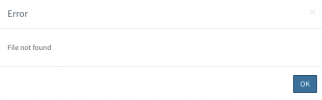
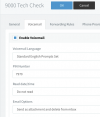
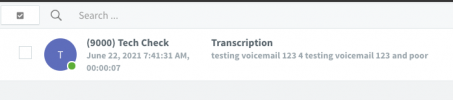
New install, 3CX latest version on Windows. 99% of our extensions are set to "forward voicemail to email and delete from mbox". The issue is that 3CX sends the voicemail to email as it should, but then seems to leave a phantom copy on the 3CX server. You can't listen to it, but once you "delete" it the MWI shuts off. If I try and listen to it via the webclient it says "File Not Found".
1624365974780.png

1624365916799.png

1624365939419.png


Looking for ideas.
 
To help us get a better idea of your setup please provide the relevant info mentioned here:
https://www.3cx.com/community/threads/information-to-provide-when-requesting-help.67558/

Also:
• If you create a new extension and set its voicemail to be sent as an attachment and then get deleted, do you get the same results?
• If you check on the server's filesystem directly, do you actually see files, what's their filesize?
• Is there any other 3rd party software running on the server other than 3CX?
• Is the server running any antivirus/antimalware software? If yes I'd strongly recommend completely removing them and then rebooting the server. Check if the issue persists after doing so and let us know what happens.
 
  • 3CX Version, 16.0.8.9
  • Server OS, Windows Server 2019
  • Is the 3CX Server Hosted and where? No
  • IP Phone Make/Model/Firmware Yealink T57W, 96.86.0.5
  • Provisioning Method: Local
  • Trunk Provider or Gateway Make/Model: Consolidated Telephone (Local TelCo)
  • Has the Firewall Checker passed: YES
  • Are custom Phone Templates being used: NO
Also:
• If you create a new extension and set its voicemail to be sent as an attachment and then get deleted, do you get the same results? Yes, same results.
• If you check on the server's filesystem directly, do you actually see files, what's their filesize? The vmail... file is still in the extensions folder, however the file size is 1KB.
• Is there any other 3rd party software running on the server other than 3CX? VoIPTools Remote Relay Service
• Is the server running any antivirus/antimalware software? If yes I'd strongly recommend completely removing them and then rebooting the server. Check if the issue persists after doing so and let us know what happens. No
 
I have resolved the issue, it was the VoipTools relay service. There is an option for "Enable Voicemail Watcher" in the services console. Disabling that "watcher" has resolved our voicemail issue.

Thank you posting the steps above, the "3rd party software" step led in the right direction.

Brian
 
  • Like
Reactions: ChrisC_3CX
Excellent! Glad to hear you managed to resolve the issue!

Please feel free to start a new thread should you require additional information or assistance.
 
Status
Not open for further replies.

Forum statistics

Threads
111,974
Messages
590,081
Members
164,899
Latest member
mazet