Mysql Database

Status
Not open for further replies.

shainjetly

Joined
Apr 11, 2010
Messages
9
Reaction score
0
Des anyone know hot connect VAD in to MYSQL Database.i tried in different ways using ODBC. but it is not working.

did anyone successfully conected yet? any idea??
even to MSSQL server i cant connect. any problem with my connection string or the parameters.??

Thankyou
 
Hi,

In order to connect to MySQL, you need to use ODBC. You need to create the DSN file in the 3CX Server. If you're using the VAD remotely, maybe you're creating it locally?

Can you describe how are you using the VAD, locally or remotely? Also, are you creating the DSN as System DSN? Because the user that will use it when running the IVR is the IIS user...
 
Hi ,
Thankyou.
i am using VAD remotely and im trying to create the DSN locally.im creating a system DSN.

So you mean that i have to create the DSN as a user DSN???
 
No, you need a System DSN.

Can you explain how are you configuring the Database Access component? Are you using quotes for constant values in expression fields?

What is the error you're receiving?
 
i have created a system DSN.

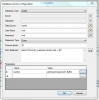
here i have uploaded a image of my DAC.
can u tell me is there any problem in configuring it.
there i have used quotes everywhere.
i dont know what is the error but what i know is when i debug, it stops at the database component and database component is not output anything. but when i connect it to mssql the database component output is good.
 

Attachments

  • Capture.PNG
    Capture.PNG
    47.7 KB · Views: 4,694
The component looks well configured.

Can you check if a file named "Errors_DatabaseAccess.log" exists under:
%ProgramData%\3CX\Data\Http\Interface\ivr\ProjectName_BuildNumber
or
%ProgramData%\3CX\Data\Http\Interface\ivr\ProjectName_Debug_BuildNumber

In that case, please post the file contents here.

Also, please send us the file %ProgramData%\3CX\Data\Logs\3CXIvrServer.log which can contain some hints about the error your'e getting.

Thanks.
 
im sorry but i cannot find the file you have mentioned.

i dont have the path u gave.
i have something like this.
c:\Program Files (x86)\3CX PhoneSystem
under this phonesystem Bin and Data is there, in the Data there is no Http folder exist.

im running it on 64bit windows 7.

and im checking it on 3Cx server. are you taliking about my remote system where VAD application is installed.
and by the way in Database access configuration when i select ODBC there is datasource. username, password.

what username or password do i have to provide there. because if it connects to the DSN the username and password is already configured in DSN ryt?
 
SOrry i got the file you mentioned. before could not found the directory because it is hidden.
here is the contents of the Errors_DatabaseAccess.log

Code:
-------------------------------------
System.Data.Odbc.OdbcException: ERROR [IM014] [Microsoft][ODBC Driver Manager] The specified DSN contains an architecture mismatch between the Driver and Application
   at System.Data.Odbc.OdbcConnection.HandleError(OdbcHandle hrHandle, RetCode retcode)
   at System.Data.Odbc.OdbcConnectionHandle..ctor(OdbcConnection connection, OdbcConnectionString constr, OdbcEnvironmentHandle environmentHandle)
   at System.Data.Odbc.OdbcConnectionOpen..ctor(OdbcConnection outerConnection, OdbcConnectionString connectionOptions)
   at System.Data.Odbc.OdbcConnectionFactory.CreateConnection(DbConnectionOptions options, Object poolGroupProviderInfo, DbConnectionPool pool, DbConnection owningObject)
   at System.Data.ProviderBase.DbConnectionFactory.CreateNonPooledConnection(DbConnection owningConnection, DbConnectionPoolGroup poolGroup)
   at System.Data.ProviderBase.DbConnectionFactory.GetConnection(DbConnection owningConnection)
   at System.Data.ProviderBase.DbConnectionClosed.OpenConnection(DbConnection outerConnection, DbConnectionFactory connectionFactory)
   at System.Data.Odbc.OdbcConnection.Open()
   at ASP.callattend_debug_5_main_mf_databaseaccesscomponent1_doit_aspx.prepareCommand(IDbConnection conn, String sqlStatement, Int32 timeout) in c:\ProgramData\3CX\Data\Http\Interface\ivr\CallAttend_Debug_5\Main_MF_databaseAccessComponent1_DoIt.aspx:line 15
   at ASP.callattend_debug_5_main_mf_databaseaccesscomponent1_doit_aspx.executeReader(IDbConnection conn, String sqlStatement, Int32 timeout) in c:\ProgramData\3CX\Data\Http\Interface\ivr\CallAttend_Debug_5\Main_MF_databaseAccessComponent1_DoIt.aspx:line 25
   at ASP.callattend_debug_5_main_mf_databaseaccesscomponent1_doit_aspx.executeStatement(IDbConnection conn, String statementType, String sqlStatement, Int32 timeout) in c:\ProgramData\3CX\Data\Http\Interface\ivr\CallAttend_Debug_5\Main_MF_databaseAccessComponent1_DoIt.aspx:line 45
   at ASP.callattend_debug_5_main_mf_databaseaccesscomponent1_doit_aspx.Page_Load(Object sender, EventArgs e) in c:\ProgramData\3CX\Data\Http\Interface\ivr\CallAttend_Debug_5\Main_MF_databaseAccessComponent1_DoIt.aspx:line 140

and here im attaching the server log file too.
 

Attachments

Thankyou for your support.
i have resolved the problem.
 
The error log you sent shows a problem in the DSN. Was that the problem?
 
yes, that was the problem. before i installed a 32bit mysql driver in to 64bit windows and the 32bit odbc registration doesn't work.
so later i found the 64bit mysql driver and installed it.
 
Status
Not open for further replies.