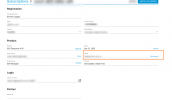
To change FQDN you will have to first stop the current installation, then disconnect the FQDN from the License.
You can do this by logging to the portal with the Owner of the License key credentials.
Find the License Key, click on it and the Disconnect option will be available.
We are Bronze partner and logged in to the 3cx portal with our partner account. Do we have to login 3cx portal using customer registered email ID or 3cx Distributor only will have the license ownership & FQDN disconnect option? please advise. Thanks.
You will have to log in to the 3CX Portal with the registration email address.
As I can understand from your reply, this should be the customer's registered email.
What do you mean by "stop current installation"? I have an installation which we need to change the FQDN and we want to avoid reinstalling. I already know how to release the FQDN.
What do you mean by "stop current installation"? I have an installation which we need to change the FQDN and we want to avoid reinstalling. I already know how to release the FQDN.