New problem with split DNS

Status
Not open for further replies.

Oliver Broad

Free User
Joined
Feb 24, 2020
Messages
119
Reaction score
12
Probably not caused by 3CX but since split-DNS is practically mandatory for an On-Premise install I hoped someone here might know what's going on.

So for some time I've been running a DNS proxy and having the proxy serve up the correct local IP address. It also resolves "coaxial.horse" to a different local IP as a way of verifying that the proxy is being used.

Our router (BT) is providing the DNS setting via DHCP

Recently I found that a couple of Windows 10 desktops were not using the proxy as the router's IPv6 address was at the top of the DNS server list in ipconfig and coaxial.horse did not resolve.

Has anyone else had their split-DNS setting broken lately, possibly by a Windows update?

Incidentally the change could have been a few months ago, things seem to have fallen back on "hairpin NAT" so I mostly hadn't noticed apart from authentication issues.
 
  • Like
Reactions: Evolute IT
So if I could somehow get the router to NOT provide DNS then Windows would fall back on using the proxy?
 
I'd think so. If it wasn't an ISP router I'd ask if it had a way to forward DNS, for instance pfSense has a domain override setting to forward a DNS request to a different DNS server. (or hostname override to set a hostname to a specific IP) We use that for sites with Active Directory but with IPv6 that points to the router for DNS.

A brute force method to edit a "hosts" file entry on each PC would override DNS for PCs but not phones.
 
I'm trying to find a central fix. I already know (I tried it) that by setting the IPv6 DNS server to "::1" it seems to prevent this but I'd have to do it separately on all Windows machines. Non Windows devices might be unaffected as my phone looked up the test domain without a problem.
The other thing that I believe might help is putting something in all the fields on the router, so by putting my DNS proxy's IP twice instead of leaving the secondary DNS field blank it looks better in ipconfig /all as the unwanted IP appears only once now not twice.

I think I need to put values in the IPv6 DNS fields, but it won't accept an IPv6 address in abbreviated form, only the full long version so I need to know how to expand the abbreviated address that Windows reports.

Incidentally if it doesn't already it might be nice if Linux 3CX installs came with a DNS proxy built in, since that would give an instant split DNS capability.
 
Last edited:
Incidentally if it doesn't already it might be nice if Linux 3CX installs came with a DNS proxy built in, since that would give an instant split DNS capability.
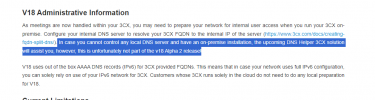
Once upon a time, 3CX did want to do this
1712253463527.png
But I don't think it ever happened
 
For what its worth after several experiments I've found that ipconfig /renew is NOT enough to make changes show, you have to unplug/disconnect and reconnect otherwise Windows retains the last DNS it used, This is pretty much Steve's answer except that the "last known good DNS" seems to always be the first entry in the list.

Anyway ... I put the IPv6 address of the proxy (not link local) in both fields, then disconnected and reconnected and now ipconfig /all reports the proxy's IPv6 address three times and its IPv4 address twice so I think I've filled up all the available DNS server "slots".
I was nearly there before but without hard bumping the connection it just went on remembering that the gateway (router) was a DNS and ignored DHCP.

Right now the test domain works and split DNS appears to be working.

Incidentally I've read elsewhere that configuring Windows adapter settings directly will fix this, I've tried and setting the IPv6 DNS assignment to manual does work, but only on a machine-by-machine basis. I was looking for a "fix" that worked via DHCP so one change will fix the whole network.

Oh and on a related note 3CX behind a BT Smarthub 2 still requires a DMZ configuration as port forwarding isn't properly transparent. There's been a new firmware since I last looked at it so I thought it might have been improved?
 
Last edited:
Incidentally something else that has come out of this that might be useful is that it looks as if on some routers you can configure 3CX in the DMZ rather than using port forwarding. With the server in the DMZ it seems as if the server's public IP will still work even from within the LAN mitigating the need for split DNS. I'm not even sure how this can work but I've seen it working.

On the downside the configuration has security implications because all the ports are exposed, but I'd hope that the Linux install would be properly secured by default. Windows not so much and without specific blocks you'd definitely be leaving a remote desktop protocol port exposed.
 
Whether that works probably depends on the router as well. "NAT reflection" or "hairpin" as the 3CX doc page refers to it will allow using the public IP from inside the router. Some do that by default for forwarded ports; others need it enabled either per port/rule or globally. Traffic to/from 3CX travels through the router in that case.
 
Status
Not open for further replies.

Latest Posts

Forum statistics

Threads
111,953
Messages
589,915
Members
164,850
Latest member
masvty