- Joined
- Jul 11, 2018
- Messages
- 1
- Reaction score
- 0
Hi Everyone
i was hoping the community could help. Im new to 3CX and currently deployed the 1 year free via google cloud license being promoted on the website. I want to try and get this system to work with some yaelink t41p's that i have around.
Firstly the product turnkey deployment was excellent done in a few moments, I created my extensions which was pretty straight forward and i tested inter extension calls & the quality is great. The welcome email the server generates with the config file for the soft clients is really slick, makes setup extremely easy, As i said soft clients are working great, on android/windows & ios and i am really happy.
Now im trying to provision some yaelink T41P's here im not having much joy, I need to be able to provision a yaelink t41p and use it from anywhere its plugged in. to a network, I have tried auto-provision link provided when adding a new phone and also tried to add the account manually via the yaelinks GUI but i cant manage to get it working, i did get it to provision at least, the phone rebooted, came back on with the account programmed but still that account register failed.
I have looked through this guide; https://www.3cx.com/sip-phones/yealink-t4-series/
But cannot see where i am going wrong, I want to get these extensions working before i can move on to adding sip trunks etc but im getting a little frustrated. Can anyone point out where i might be going wrong, a few bits of information that may help;
3CX Server is fully up to date
when adding new phone for provision only T41 Model is listed not "T41P" could this be an issue?
The Server is in google cloud. i am using Full FQDN in the server name,a l also tried the public ip doesn't seem to work either.
Im leaning towards firewall issues perhaps, but the idea is i could take this phone anywhere just like the softphone, plug it , it connects and make calls, that is possible right? Id normally of assumed this was done via VPN, is it possible without?
the firewall rules on the google cloud were pre-configured by the deployment turnkey process so i assume these are ok.
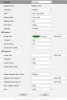
Im hoping i don't have to make firewall changes, at every site a yaelink phone would be situated, since i wouldn't have that sort of network access at hotels etc, I have attached a screenshot of the phone account config encase im missing something obvious.
I looked among the events on the dashboard and i can see "SIP request (REGISTER) from ""IPADDRESS"" was rejected. Reason: Block WAN requests is ON" - This was the public ip of one of my test phones, so it looks like its being blocked, which i guess is good considering its trying to connect over public ip, So does this mean i have to provision locally? since this is in the cloud i would have to add a vpn from the google cloud service? then provision, how would that affect phone being used moving forward, would the phone have to initiate a vpn connection first?
Any information or assistance would be greatly appreciated
Regards
Cap
i was hoping the community could help. Im new to 3CX and currently deployed the 1 year free via google cloud license being promoted on the website. I want to try and get this system to work with some yaelink t41p's that i have around.
Firstly the product turnkey deployment was excellent done in a few moments, I created my extensions which was pretty straight forward and i tested inter extension calls & the quality is great. The welcome email the server generates with the config file for the soft clients is really slick, makes setup extremely easy, As i said soft clients are working great, on android/windows & ios and i am really happy.
Now im trying to provision some yaelink T41P's here im not having much joy, I need to be able to provision a yaelink t41p and use it from anywhere its plugged in. to a network, I have tried auto-provision link provided when adding a new phone and also tried to add the account manually via the yaelinks GUI but i cant manage to get it working, i did get it to provision at least, the phone rebooted, came back on with the account programmed but still that account register failed.
I have looked through this guide; https://www.3cx.com/sip-phones/yealink-t4-series/
But cannot see where i am going wrong, I want to get these extensions working before i can move on to adding sip trunks etc but im getting a little frustrated. Can anyone point out where i might be going wrong, a few bits of information that may help;
3CX Server is fully up to date
when adding new phone for provision only T41 Model is listed not "T41P" could this be an issue?
The Server is in google cloud. i am using Full FQDN in the server name,a l also tried the public ip doesn't seem to work either.
Im leaning towards firewall issues perhaps, but the idea is i could take this phone anywhere just like the softphone, plug it , it connects and make calls, that is possible right? Id normally of assumed this was done via VPN, is it possible without?
the firewall rules on the google cloud were pre-configured by the deployment turnkey process so i assume these are ok.
Im hoping i don't have to make firewall changes, at every site a yaelink phone would be situated, since i wouldn't have that sort of network access at hotels etc, I have attached a screenshot of the phone account config encase im missing something obvious.
I looked among the events on the dashboard and i can see "SIP request (REGISTER) from ""IPADDRESS"" was rejected. Reason: Block WAN requests is ON" - This was the public ip of one of my test phones, so it looks like its being blocked, which i guess is good considering its trying to connect over public ip, So does this mean i have to provision locally? since this is in the cloud i would have to add a vpn from the google cloud service? then provision, how would that affect phone being used moving forward, would the phone have to initiate a vpn connection first?
Any information or assistance would be greatly appreciated
Regards
Cap