Solved Newly Provisioned Linux System Management Ports Closed

Status
Not open for further replies.

aterrell

Bronze Partner
Advanced Certified
Joined
Jun 21, 2020
Messages
5
Reaction score
1
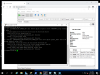
We're on our 3rd or 4th 3CX install and I've hit a peculiar issue. After setting up a 3CX instance with the deb net install ISO I am unable to access the management page on the default port 5001(https). Went through the setup process twice and it worked without issue got to the configuration page where I would normally select option 1 for Web provisioning on 5015 and this works. Proceed through the provision process and leave ports defaulted to 5000 for http, 5001 for https, 5060 sip, and 5090 tunnel. Everything seems good up until completion where it says to login using the FQDN/Public IP. Thinking it was a firewall/NAT/ACL issue I tried from a Windows server sharing the same vlan and subnet. Unable to get to 5000 and 5001 http or https. I can SSH to the 3CX instance and can run a port scan and see 5060 and 5090 open. Looks like the webserver itself either never restarted or didn't rebind. Any ideas?
 

Attachments

  • D32-3CX.png
    D32-3CX.png
    67.5 KB · Views: 17
Hi @aterrell

I imagine you have already rebooted the VM for good measure and it still doesn't work.
Are you using our latest stable version ISO with Debian 9?
1598345454346.png


If so then it sounds like you might have a network problem indeed. Try to disable IPv6 on your interface and reboot just to see if it is related in any way, ensure that no inet6 appears after reboot.
 
Hey John,
We were using the Debian9 net-inst iso but finally figured it out. After staring at nginx logs for a while I finally noticed mention of a certificate error. There was something wonky with the SSL Certificate import in .crt and .key format. The install would hang for just a few seconds then proceed without giving us an error. Immediately after installing the certificate and the reboot the ports would close and not reopen. Just for kicks I converted to a PKCS12 using https://decoder.link/converter and tried the PKCS12 version and it seemed to resolve the issue. Not sure if it is a bug or if our crt and key files were malformed but they converted perfectly fine and we were able to get the system going!

Thank you for the reply and hopefully this might help anyone else who has a similar issue. We spent a while beating our heads against this one!
 
You nevr mentioned the ssl cert in your OP - Could have helped with the support fyi.
 
  • Like
Reactions: JohnS_3CX
It sure would have saved some time. We never thought there was an issue with the cert until I started poking at nginx service logs. Regardless, thanks for the replies!
 
No worries, glad to hear it was resolved.

For any future readers: ensure you are providing certs in the format nginx likes

https://www.3cx.com/docs/
 
Status
Not open for further replies.

Latest Posts

Forum statistics

Threads
111,961
Messages
589,953
Members
164,862
Latest member
ARTipsadmin