NGINX RCE CVE-2026-123633 and CVE-2026-123007

Claas Felix Beyersdorf

Titanium Partner
Advanced Certified
Joined
Nov 21, 2017
Messages
41
Reaction score
30
These two new CVEs related to NGINX are reported:

CVE-2026-123633 CVE-2026-123007

Upstream fixes are available https://nginx.org/news.html

As these allows remote code execution. I think this should be fixed as soon as possible.

Currently Debian is currently missing the patches. But as you have changed to build your own nginx binaries inside the 3cxpbx package. I think you have to Release a new package.

Do you have a time frame for us when we can expect these fixes.

I'm pretty sure using the "http2 off" mitigation will break functionality.

Thank in advanced for your feedback.
 
  • Like
Reactions: Charli
Have you learned anything more?
 
Following this thread closely. Any official update or ETA from the 3CX team on a patched 3cxpbx package?

https://nginx2root.com/
 
For the reported CVE's nginx has released an update however this is not yet released from Debian, we are currently checking also on our side and get back with an update as soon as possible.
 
Debian has released the Updated nginx for sid/unstable.
Pretty sure the bookworm update might take some time maybe days. As last time.

But for the time beeing are you able to say if "http2 on" is required or would it be possible to use 3CX with "http2 off" as a hotfix/workaround?

So are some of your components like mobile apps. Webclient, Windows App, PWA require http2 or would everything also work with http 1.1?
 
In previous blog post(back in June) related with HTTP/2 BOMB we also announced that we embedded nginx in order to have full control over the version of nginx instead of waiting for Debian.
We currently evaluate and get back once there is an update.
 
Looks like a fixed package is available on Trixie (nginx 1.26.3-3+deb13u11), so the fix for Bookworm is maybe around the corner
 
Released as version 20.0.10.1801

Code:
#apt-cache policy 3cxpbx
3cxpbx:
  Installed: 20.0.10.1785
  Candidate: 20.0.10.1801
  Version table:
     20.0.10.1801 500
        500 https://repo.3cx.com/3cx bookworm/main amd64 Packages
 *** 20.0.10.1785 500
        500 https://repo.3cx.com/3cx bookworm/main amd64 Packages
        100 /var/lib/dpkg/status

So after update:

Code:
#nginx -V
nginx version: nginx/1.30.7
 
  • Like
Reactions: ybello and N_G
the security update for NGINX has been released, blog post to follow in a few hours
 
  • Like
Reactions: NatalyS_3CX
Hmm, we cannot see it in the web GUI, and installing the Debian OS Security Updates (from today I believe?) did not install it...? We will watch for the blog post.

Code:
# nginx -V
nginx version: nginx/1.30.6

Code:
# apt-cache policy 3cxpbx
3cxpbx:
  Installed: 20.0.10.1785
  Candidate: 20.0.10.1801

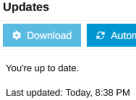
Edit to show the GUI, after:
1795142991935.png
 
  • Like
Reactions: Marco@
The update is as you see under :

# apt-cache policy 3cxpbx
3cxpbx:
Installed: 20.0.10.1785

Candidate: 20.0.10.1801

Check again please and let us know.
 
Hi Theodoros, yes I posted that, but how to install it? My understanding has always been not to install updates on a 3CX server via apt.

Web GUI still shows "You're up to date" after I logged in again.
 
  • Like
Reactions: Marco@
If possible please make an attempt to restart your 3CX services and check again please.
 
I restarted all services via the dashboard, no change.
I restarted the server VM, no change.

I should note I checked a couple other servers, and they only show the Debian OS security update also. (one also shows the SBC beta since it has an SBC)
 
My understanding has always been not to install updates on a 3CX server via apt.
GUI update section depends on the same source as apt tool - on apt source lists (.list or .sources).

We also haven't seen this update in GUI, and we did not attach much importance to this, especially given severity of these vulnerabilities.

No need worry about some "console magic", if so.
Just use apt to install update.
 
You can install Debian security updates directly if you like but keep in mind it carries its own risks. Just a few days ago Debian released a fix to the kernel which killed quite a few systems. This kernel was not released to the 3CX repositories and we waited for the fixed kernel.

NGinx had a similar issue not long time ago. So we review NGinx updates.

You can override this of course and install them anyway, no problem at all but you might run into issues which you then have to fix.

We only recommend overriding the 3CX repositories if you really know your Linux stuff. Then fine.

Just as a final note we see a rough year coming up as with AI they are finding vulnerabilities in all core components and software and so there are going to be a lot of updates across the board.
 
Same experience, not visible in UI. Restarted 3cx services, all of them, rebooted, can see the update on terminal, but not in UI, even after reboot.
 
No update for me as well...
 
At the time of writing, the new version hasn't been listed in the servicepackupdate.xml file on downloads-global.3cx.com yet. As a result, PBXs using this server aren't detecting the update yet.
 
  • Like
Reactions: spflug
I believe 3CX deliberately updates the servicepackupdate.xml file in each update server's directory in stages to monitor how updates are going and make sure everything runs smoothly before rolling them out to everyone. This probably helps prevent all PBXs from going down at the same time if something goes wrong.

3CX doesn't do things randomly. There's usually a good reason behind it !​

That said, if you still insist on bypassing this staged rollout, there's a way to override the update server configured in 3CX by adding a specific custom parameter. However, I'm a little worried the 3CX police might come knocking on my door , so I'd rather leave it to someone from the 3CX team to share this trick publicly, if they're willing to. :-) :oops:


Basically, this custom parameter would point to:
https://downloads-[B][SIZE=5][COLOR=rgb(184, 49, 47)]us[/COLOR][/SIZE][/B].3cx.com/downloads/v200

Which would bypass, in my case, the following server:
https://downloads-[SIZE=5][COLOR=rgb(85, 57, 130)]global[/COLOR][/SIZE].3cx.com/downloads/v200


**Warning:** Don't mess with your 3CX system's custom parameters unless you really know what you're doing.
 

Forum statistics

Threads
112,554
Messages
593,239
Members
165,767
Latest member
Stumps