No Call Queues in Presence

Status
Not open for further replies.

Grooverider

Joined
Jun 2, 2010
Messages
14
Reaction score
0
I have just upgraded to V12 RC1.

I was interested to see all the additional information that can be viewed in the full screen presence view. However, upon loading up my full screen presence view I only see my group membership view and the Active Calls View. No other views are being displayed. I cannot find anywhere within call queues in the console to enable adding it to the presence view or in any of the settings menus in the console.

How do I enable call queue presence info etc?

Regards

G
 
Could you elaborate with more detail on what you would like to see?
 
Kevin

I was looking to be able to view the active and queued calls in the call queue that i am both a member of and a manager of.
currently all i see is the all active calls list and my group lists but no queue presence.
Perhaps i have missed a simple check box somewhere but i haven't been able to find a way to add the queues to my view so far.

Regards

Gareth
 
Hi Gareth.

In order to view queue calls and you have to set yourself up as a queue manager in the queue that you are trying to view the details of.
To do that:
1. Open your queue settings (go to call queues and double click on the queue in the management console)
2. Scroll down to the bottom at Queue email notifications and
3. Find the 'Select Queue Manager extension number, press select and select your extension number, press apply and you should now be able to see queue calls in your 3CXPhone Presence screen.

Please let us know if this has resolved your problem and if you have any other questions feel free to ask.

Best Regards
 
Thanks for the reply Andreas

I was already the queue manager for the queues I wanted to see but they still weren't showing. However, upon upgrading to RC2 the presence information is now being shown for my call queues and I am also getting the remote presence info as well.

Seems like RC2 has fixed the problem
 
Hi Gareth,
Good to see that your problem is solved, if you need anything else don't hesitate to ask and enjoy the RC2 it contains a lot of new features and improvements!

Best Regards
 
Re: No Call Queues in Presence

Postby AndreasP_3CX » Tue Sep 03, 2013 7:42 am
Hi Gareth.

In order to view queue calls and you have to set yourself up as a queue manager in the queue that you are trying to view the details of.
To do that:
1. Open your queue settings (go to call queues and double click on the queue in the management console)
2. Scroll down to the bottom at Queue email notifications and
3. Find the 'Select Queue Manager extension number, press select and select your extension number, press apply and you should now be able to see queue calls in your 3CXPhone Presence screen.

Please let us know if this has resolved your problem and if you have any other questions feel free to ask.

Best Regards
Andreas Psyllos
3CX Support Supervisor

3CX - Developers of IP PBX software
http://www.3cx.com

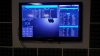
I am a total noob to the 3CX deal, just installed my first demo and configured the server, queues, ring groups scheduling. BUT, trying to get the Support Queue (We are a Network Operations Center) to display for me and my manager on the Presence screen is not working, must be something stupid I'm doing/not doing. I had it displaying yesterday redid some groups/queues and now it has disappeared. What am I doing wrong Andrea?
 

Attachments

  • 3CX-Board-Display.jpg
    3CX-Board-Display.jpg
    529.9 KB · Views: 1,234
Status
Not open for further replies.

Members Online Now

Forum statistics

Threads
111,835
Messages
589,289
Members
164,667
Latest member
Infinity Network