Solved "Not found" when making softphone calls

Status
Not open for further replies.

erpardeiro

Free User
Advanced Certified
Joined
Aug 2, 2019
Messages
67
Reaction score
9
Hi!
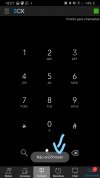
I'm having a problema in a customer. Yesterday was working normaly, but today, any user has try make call to other extension or external call receive a message "Not found" and call not complete. The stranger is that the same extension, using WebClient or DeskPhone, can make internal or external calls normaly.
Bellow any considerations:
  • The 3CX is installed in Google Cloud
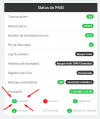
  • Firewall test is ok
  • The problem occur in any network (Wifi, 4G, etc)
  • It's occur with all extensions (has using softphones)
  • The services are restarted
  • The system is restarted
Anyone know solve this problem?

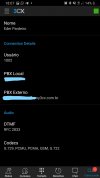
01firewallok.png02softphone.jpg03detalhes.jpg
 
So...this is only occuring on Android devices (or iOS as well?), using external Wifi or 4G? Is the call reaching 3CX? Check the 3CX Activity Log. I'm assuming that the extension shows as registered and that they are able to receive calls.
 
Try creating a new test extension and leave all settings as default. Uninstall and re-install the 3CX Android app, then provision the test extension using the QR code. Do you get the same thing?

Also, please let us know how you deployed the 3CX Instance (with PBXExpress, etc) what version of 3CX you are running and what version of the android/windows/ios client you are using.
 
So...this is only occuring on Android devices (or iOS as well?), using external Wifi or 4G? Is the call reaching 3CX? Check the 3CX Activity Log. I'm assuming that the extension shows as registered and that they are able to receive calls.
Hi leejor! Thank's for your answer.
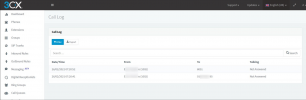
This problem occur with Android and iOS devices, using external Wifi or 4G. Yes, the call's are registered in 3CX log activity with "Not Answered" status. See details bellow:
1614335551907.png
 
Try creating a new test extension and leave all settings as default. Uninstall and re-install the 3CX Android app, then provision the test extension using the QR code. Do you get the same thing?

Also, please let us know how you deployed the 3CX Instance (with PBXExpress, etc) what version of 3CX you are running and what version of the android/windows/ios client you are using.
Hi ChrisC_3CX.. Thank's for your answer!
I has make this test, creating a new extension with default settings, reinstall and provision using QRCode (but will try now using configuration file, because this I don't make)
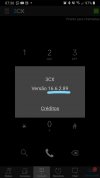
I'm use PBXExpress to install 3CX Instance in Google Cloud. The version installed is the last FINAL version (I don't using any Beta, because this instance is in prod).
In Android and iOS, a lasted version of softphone is installed.
See bellow:
Inked05versao3cx.jpgInked06versaoclient_LI.jpg
 
The fact that you can see the calls in the call log means they are reaching the PBX just fine. Can you try using the Echo test by calling *777 from one of the affected clients? Does it work?
 
Testing now using an extension created with defaults configurations. Unfortunately the same result. In softphone appear "Not found" and in 3CX call history "Not Answered":
Inked06historico_LI.jpg
 
The .config file don't provision a extension in smartphone. It's very stranger.
 
Try the following and let me know what happens:

1. Access the Management Console.
2. Go to Settings >> Network >> FQDN.
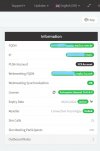
3. Make sure that "Allow calls from/to external SIP URIs" is enabled and then enter your FQDN in the "Local SIP domain" field.
4. Apply settings and then try again.
 
  • Love
Reactions: erpardeiro
ChrisC_3CX, Thank you very much. It's work now... The box was unchecked and SIP URIs, was inserted a IP.

Now it's work perfectly... Thank you!!!!

Excelent weekend for everyone
 
  • Like
Reactions: ChrisC_3CX
Glad to hear you got it resolved!
 
Status
Not open for further replies.

Members Online Now

Forum statistics

Threads
111,831
Messages
589,277
Members
164,660
Latest member
RJenkinsROCK