"Not Registered" after configuration of SPA 3102 gateway

Status
Not open for further replies.

fra John

Joined
Jul 3, 2010
Messages
4
Reaction score
0
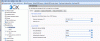
I am a new user to the 3CX phone system software. I am trying to setup the Linksys SPA 3102 after upgrading the firmware. I went thru the process of configuring the PSTN gateway as 3CX gives it here: http: //www.3cx.com/voip-gateways/linksys-3102/ - NO LONGER AVAILABLE. I ended up with the line status, "Not Registered" under the tab, "Ports/Trunck Status" in the 3CX software. I then realized, although not sure, that the easier way would have been to use the procedure for "provisioning" the SPA 3102. After studying about this, I saved the configuration file (XML) generated from 3CX in the folder "C:\temp" and used the string "http://192.168.1.104/temp/linksys-spa-3102.gwcfg" in the "provisioning" tab of the gateway setup webpages (see attached linksys-spa-3102.gwcfg). The IP of the computer running the 3CX software is 192.168.1.104 and is where the configuration XML file resides, whereas the gateway is 192.168.1.100.

Below I have attached a few files for someone to figure out what I am doing wrong.
 

Attachments

  • SPA 3102 - INFO tab.gif
    SPA 3102 - INFO tab.gif
    57.3 KB · Views: 1,754
  • SPA 3102 - PSTN Line tab.gif
    SPA 3102 - PSTN Line tab.gif
    108.8 KB · Views: 1,755
  • 3CX - PSTN devices page.gif
    3CX - PSTN devices page.gif
    90.2 KB · Views: 1,754
  • linksys-spa-3102.zip
    linksys-spa-3102.zip
    10.5 KB · Views: 133
For the PSTN portion, the user ID and password should be the same as your trunk number, 10003.

In PSTN-to-VoIP Gateway Setup, Change PSTN ring thru Line 1 to NO, unless you want the phone to ring a phone plugged into the phone jack on the 3102 as well as the call going into 3CX.

In PSTN Caller ID Pattern, you may need to delete the * if you have problems with incoming calls.

If you use North American, Bell type caller ID, change FXO Timer Values/PSTN Answer Delay to 3 (seconds) or you won't get caller ID.
 
leejor said:
For the PSTN portion, the user ID and password should be the same as your trunk number, 10003.

Yes, they are the same. Thank you for the other suggestions.

Anything else to check?
 
That depends, does it work now?
 
I checked the system log on the 3CX. It appears there is a mismatch between the two, but after retyping the password and checking that each is set to "10003" still gives the same error. See attached log section.
 

Attachments

Did you replace the User ID, in the 3102, with 10003 as well? You only get to put a name of your choosing in the Display Name field.
 
"Registered" now!

My mistake was that I had some text describing the line in the "User ID" field. I put this to "10003" also. And now it works.

Thank you.
 

Attachments

  • Corrected settings - spa-3102.png
    Corrected settings - spa-3102.png
    8.4 KB · Views: 1,697
Status
Not open for further replies.

Forum statistics

Threads
111,879
Messages
589,531
Members
164,731
Latest member
hrhrohit