Solved O365 overwriting ext 100

Status
Not open for further replies.

house1

Forum User
Basic Certified
Joined
Oct 24, 2014
Messages
51
Reaction score
11
our O365 sync is generally working (specific users), however extension 100 is being overwritten with ext 101 info. Then 101 does not sync with O365. They are totally separate usernames/emails. very annoying because 101 is ceo
 
our O365 sync is generally working (specific users), however extension 100 is being overwritten with ext 101 info. Then 101 does not sync with O365. They are totally separate usernames/emails. very annoying because 101 is ceo
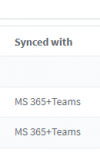
1635777380204.png
What do you see here beside those two exts?
 
see attached
 

Attachments

  • O365SyncIssue.png
    O365SyncIssue.png
    24.8 KB · Views: 6
If you can delete extensions 100 and 101 temporarily, I would do the following:
  1. From the MS365 settings in 3CX, remove the specific 2 users for extensions 100 and 101 and press OK
  2. Go to "Users", delete extensions 100 and 101
  3. Re-create Extensions 100 and 101 manually, in each one putting the correct MS365 email that corresponds to each user, but with a random name.
  4. Go back to the MS365 settings and re-add the 2 users and press OK
  5. Go back to the "Users" node and make sure that for extensions 100 and 101, the right names have been "pulled" from MS365 and that the sync now works on both.
What I suspect may have happened is that during the first "sync", those 2 extensions were create and now some metadata 3CX keeps is allocated the Azure UPN of the CEO (what you want to be 101) to Ext 100.

The above steps would be the easiest way around this.
 
  • Like
Reactions: Evolute IT
that was it. THX
 
Glad this resolved it! :)
 
Status
Not open for further replies.
