Solved Oddity stopping integration

Status
Not open for further replies.

CSerpent

Silver Partner
Basic Certified
Joined
Jun 22, 2021
Messages
60
Reaction score
9
I've had a few quirks deploying the Teams integration but eventually am getting there.

However, there seems to be a quirk that is stopping the operation. I have the E164 +44xxxx;ext=2001 format in the entry as briefed, but in the activity log I'm getting:

25/03/2022 20:31:04 - Dev(1194836511):[sip:+44xxx2001;ext=[email protected] / +44xxx2001;ext=2001]: PBX contact is public IP: <sip:+44xxx2001;ext=2001@WANIP:5060/UDP>

And of course when an inbound call comes in and sends it to that format, MS returns a 404.

This is a self hosted system on a private FQDN.
 
Thanks. What's the best way to remove the cert from the Teams section as it gives no option to upload a new cert?
 
Thanks. What's the best way to remove the cert from the Teams section as it gives no option to upload a new cert?
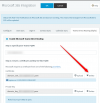
You should see this button:
1652703712807.png
 
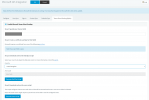
Doesn't present unfortunately...

1652704223749.png

If I wipe out the FQDN, the prompts for the new cert appear, but the minute you repopulate, it's back to the above.
 
Doesn't present unfortunately...

View attachment 30180

If I wipe out the FQDN, the prompts for the new cert appear, but the minute you repopulate, it's back to the above.
In that case go to Security --> Secure SIP, make sure the option is enabled, then copy-paste the contents of the Cert and Key files into the corresponding text boxes and press OK.

After you do this, you MUST restart the 3CX SIP Server for the changes to take effect.
 
  • Like
Reactions: Evolute IT
OK getting somewhere now...

We now have it hitting the 3CX, however it's using an old number allocated previously for Teams and utilising it...

Code:
16/05/2022 15:38:22 - [CM503013]: Call(C:32): Incoming call rejected, caller is unknown; msg=Invite-IN Recv Req INVITE from 52.114.75.24:50816 tid=8b40c100 Call-ID=974ac50a2cd35c04a46a54907435aa77:
INVITE sip:*[email protected]:5061;user=phone;transport=tls SIP/2.0
Via: SIP/2.0/TLS 52.114.75.24:5061;branch=z9hG4bK8b40c100
Max-Forwards: 70
Record-Route: <sip:sip-du-a-eu.pstnhub.microsoft.com:5061;transport=tls;lr>
Contact: <sip:api-du-a-euno.pstnhub.microsoft.com:443;x-i=595180dc-24cf-438b-9ba4-97c50b555ecb;x-c=974ac50a2cd35c04a46a54907435aa77/d/8/beb328a34a2b465b96a6f51fcedb88ed>
To: <sip:*[email protected]:5061;user=phone>
From: <sip:+44(oldnumber)@sip.pstnhub.microsoft.com:5061;user=phone>;tag=9ed0ec3afc9b4c4e95a3b6c906049724
Call-ID: 974ac50a2cd35c04a46a54907435aa77
CSeq: 1 INVITE
Session-Expires: 3600
Min-SE: 300
Allow: INVITE, ACK, OPTIONS, CANCEL, BYE, NOTIFY
Content-Type: application/sdp
Supported: histinfo, timer
User-Agent: Microsoft.PSTNHub.SIPProxy v.2022.5.2.2 i.EUWE.7
Privacy: id P-Asserted-Identity: <tel:+441612345678;ext=2001>
P-Asserted-Identity: <sip:[email protected]>
Content-Length: 1094

16/05/2022 15:38:22 - Terminated from <sip:+44(oldnumber)@sip.pstnhub.microsoft.com:5061;user=phone>;tag=9ed0ec3afc9b4c4e95a3b6c906049724 to <sip:*[email protected]:5061;user=phone>;tag=a7f3f801; reason: Rejected
 
OK getting somewhere now...

We now have it hitting the 3CX, however it's using an old number allocated previously for Teams and utilising it...

Code:
16/05/2022 15:38:22 - [CM503013]: Call(C:32): Incoming call rejected, caller is unknown; msg=Invite-IN Recv Req INVITE from 52.114.75.24:50816 tid=8b40c100 Call-ID=974ac50a2cd35c04a46a54907435aa77:
INVITE sip:*[email protected]:5061;user=phone;transport=tls SIP/2.0
Via: SIP/2.0/TLS 52.114.75.24:5061;branch=z9hG4bK8b40c100
Max-Forwards: 70
Record-Route: <sip:sip-du-a-eu.pstnhub.microsoft.com:5061;transport=tls;lr>
Contact: <sip:api-du-a-euno.pstnhub.microsoft.com:443;x-i=595180dc-24cf-438b-9ba4-97c50b555ecb;x-c=974ac50a2cd35c04a46a54907435aa77/d/8/beb328a34a2b465b96a6f51fcedb88ed>
To: <sip:*[email protected]:5061;user=phone>
From: <sip:+44(oldnumber)@sip.pstnhub.microsoft.com:5061;user=phone>;tag=9ed0ec3afc9b4c4e95a3b6c906049724
Call-ID: 974ac50a2cd35c04a46a54907435aa77
CSeq: 1 INVITE
Session-Expires: 3600
Min-SE: 300
Allow: INVITE, ACK, OPTIONS, CANCEL, BYE, NOTIFY
Content-Type: application/sdp
Supported: histinfo, timer
User-Agent: Microsoft.PSTNHub.SIPProxy v.2022.5.2.2 i.EUWE.7
Privacy: id P-Asserted-Identity: <tel:+441612345678;ext=2001>
P-Asserted-Identity: <sip:[email protected]>
Content-Length: 1094

16/05/2022 15:38:22 - Terminated from <sip:+44(oldnumber)@sip.pstnhub.microsoft.com:5061;user=phone>;tag=9ed0ec3afc9b4c4e95a3b6c906049724 to <sip:*[email protected]:5061;user=phone>;tag=a7f3f801; reason: Rejected
At least now the problem is clear, Teams i getting the "old number" from somewhere, so you need to find where this is coming from.

Also in the "From" header I spot a small mistake, but this might be by accident because you hid the real number, it is like this right?
From: <sip:+44(oldnumber);ext=2001@sip.pstnhub.microsoft.com:5061;user=phone>;tag=9ed0ec3afc9b4c4e95a3b6c906049724
 
  • Like
Reactions: Evolute IT
At least now the problem is clear, Teams i getting the "old number" from somewhere, so you need to find where this is coming from.

Also in the "From" header I spot a small mistake, but this might be by accident because you hid the real number, it is like this right?
From: <sip:+44(oldnumber);ext=2001@sip.pstnhub.microsoft.com:5061;user=phone>;tag=9ed0ec3afc9b4c4e95a3b6c906049724
I did find the number in allocation of a set we took when we were testing out Teams with the call plan. We didn't need the numbers so I've released them all - yet it still seems to exist.

Code:
From: <sip:[email protected]:5061;user=phone>;tag=13086fade82a403ebfaff82bcb0ce4cc

Definitely not showing the ;ext=2001 on that.
 
OK... think I have found it.

Caller ID Policies / Global Policy. It was set to "Replace the Caller ID with: Service Number". I've changed that to User's Number... and it appears to be working!
 
That's great!

I'll go ahead and flag this thread as 'Solved'.
 
  • Like
Reactions: CSerpent
Status
Not open for further replies.