Office 365 integration module missing from Settings

Status
Not open for further replies.

mfever377

Customer
Joined
Jul 24, 2019
Messages
27
Reaction score
4
Looking to explore the Office 365 integration features, but there is no icon for it under Settings. What am I missing?
  • v16.0.910
  • PRO license
Referring to this 3CX configuration article...
https://www.3cx.com/docs/office-365-integration/
 
Last edited:
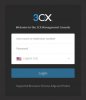
Hello @mfever377

Please verify that you are accessing the 3CX Management Console.
 

Attachments

  • 2019-08-08_14h29_43.jpg
    2019-08-08_14h29_43.jpg
    38.7 KB · Views: 4
Yes, I am logged in to the 3CX management console. We have an on-premises installation accessed via https://LANip:5001

11818
 
Digging into this, I think I have found the solution. In case there are any other folks new to this feature, this is what I found to work:

  1. In the 3CX management portal, go to Extensions and click Import button and select Import Office 365
  2. Then follow this article https://www.3cx.com/docs/office-365-integration/
    The options in Azure have changed slightly since this article was written, but it's close enough.
  3. In Azure, search for "app registrations" or use this link https://portal.azure.com/#blade/Microsoft_AAD_RegisteredApps/ApplicationsListBlade
  4. The Redirect URI is now found under Authentication in the Azure portal
  5. Finish by signing in to Office 365 using the button at the bottom of the 3CX management page
    11830
Then the Office 365 Integration page appears under Settings.
Looks like it is now duplicating most of my users, but hopefully this will be a useful feature.

Martin.
 
Status
Not open for further replies.

Forum statistics

Threads
112,147
Messages
590,959
Members
165,167
Latest member
Finatra.us