Solved Office 365 intregration module not showing in settings

Status
Not open for further replies.

bbeeken

New User
Joined
Aug 2, 2021
Messages
7
Reaction score
3
Hello everyone - I have an issue where I have a hosted instance with an enterprise license and the 365 integration option in settings is simply not there. All of the guides I find say for integration say I need to go there first but I can't and I am just stuck. I reboot the instance, I am just not sure where to go from here. Any ideas?
 
Hello everyone - I have an issue where I have a hosted instance with an enterprise license and the 365 integration option in settings is simply not there. All of the guides I find say for integration say I need to go there first but I can't and I am just stuck. I reboot the instance, I am just not sure where to go from here. Any ideas?
That's odd. Are you using V16 or V18?
 
Also, go to Dashboard, beside the license key, click the refresh icon. This will make sure the system is running the Enterprise features.
 
Thanks - did refresh the key, and it's giving me SMS options that I couldn't do with a standard license, so I think it understands the license level, but not the 365 module. I have v18.

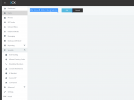
I went to this page - which appears to be the 365 config page and it's just blank and grey.
......./#/app/settings/office365
 
Thanks - did refresh the key, and it's giving me SMS options that I couldn't do with a standard license, so I think it understands the license level, but not the 365 module. I have v18.

I went to this page - which appears to be the 365 config page and it's just blank and grey.
......./#/app/settings/office365
If you see Enterprise on the license Dashboard, it should appear.

Have you tried clearing your cache after the refresh?

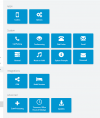
Also, the integration is in the 3rd section, last on the right, it's now called Microsoft 365 and not Office 365.
 
If you see Enterprise on the license Dashboard, it should appear.

Have you tried clearing your cache after the refresh?

Also, the integration is in the 3rd section, last on the right, it's now called Microsoft 365 and not Office 365.
Yeah, the license shows Enterprise. I have tried a different computer even. And there are no options in settings that say 365


1627930319297.png
 
Yeah, the license shows Enterprise. I have tried a different computer even. And there are no options in settings that say 365


View attachment 23312
That is not normal.

Since you are hosted by 3CX, open a thread in the Hosted by 3CX section. @NickD_3CX or someone else will be able to help you further.
 
This is not isolated to "Hosted by 3CX" We have the same issue. To add more, this is our internal NFR server (we use it for a handful of people and pay for our main instance). and if you use the direct URL to the 365 settings page you get:
1627974158194.png
 
This is not isolated to "Hosted by 3CX" We have the same issue. To add more, this is our internal NFR server (we use it for a handful of people and pay for our main instance). and if you use the direct URL to the 365 settings page you get:
View attachment 23324
We had the old version of 365 synch working before the alpha and beta upgrades.
 
In case this applies, @NikosT_3CX answered this for me on another thread.

Make sure you're logged in as master admin, not an extension with admin rights!!
 
Status
Not open for further replies.