Outbound Caller ID only using Main Trunk Number

Joepritchard

Silver Partner
Basic Certified
Joined
Sep 1, 2025
Messages
9
Reaction score
2
Hi everyone, need a little bit of assistance regarding one of the issues that I have noticed this morning,

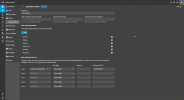
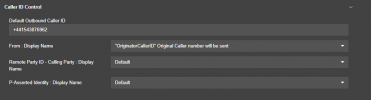
Customer is using a Vodafone SIP trunk, and this is displaying the main trunk number, rather than the actual customers main number on calls out. Checked the trunk settings, and the number that I need it to be is in the Default Outbound Caller ID, and the only outbound rule also has this number as well. Checked all extension settings, and there is nothing set for outbound caller ID, Any ideas would be great, as I am unsure to why this isn't working.
1768467315871.png1768467340123.png
 
Hello @Joepritchard,

Just to clarify, you want to send the Caller ID configured on the extension setting if it is available and when it isn't to send the main trunk number?

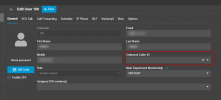
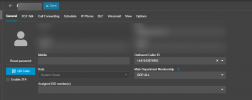
In the General tab of the extension, you will see the Outbound Caller ID. You can type in the text box the custom Caller ID, select it and save.

1768469303930.png
 
  • Like
Reactions: Evolute IT
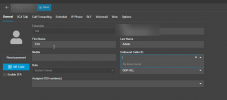
HI, thanks for coming back to me. 2 things, so this is blank for everyone, as this needs to be just the default that I have set. When I go to enter a number or select the drop down, there is nothing there. Any ideas.

I type the number I want to be the outbound ID and nothing saves.

Just to confirm for you, the caller ID for all extensions should just be the customer's main number, instead it is calling out from the SIP trunk's main number.
1768483950968.png
 
The dropdown menu is empty as you have not assigned any DID number on the extension.
If you assign a DID to the extension and click save, then open the Outbound Caller ID dropdown menu on the extension and you will be able to select it.

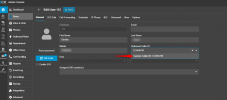
You can though type an Outbound Caller ID there and click on the Custom Caller ID: XXXXXXX from the dropdown menu. Then save the changes.


1768484539393.png
 
So I have made that change now, however this is still calling out using the wrong number, please see below;
1768485922128.png

Made a test call to my phone, and this still showing a different caller ID, which is the main trunk number. Any more ideas would be appreciated?
 
Please check also our guide for Configuring a Vodafone SIP Strategic Trunk it states that you will have to enable Clip No Screening on the Vodafone portal. I would suggest to contact them for this, ask them at what SIP Field they expect this information from, and then make the appropriate changes in the 3CX Phone System.
 
Problem is, this was working fine before, It has been noted to us today that the outbound caller ID is not correct.

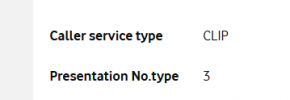
Please see the screenshot from the Vodafone portal.
1768486551952.png
 
As a first step, please verify with the Provider at what SIP Field they expect the information from.
Also you may put the PBX in Verbose mode from the Dashboard >> Activity Logs >> Settings, and make some test outbound calls.
There, you will be able to see what the PBX sends out to the Provider.
 

Latest Posts

Forum statistics

Threads
111,953
Messages
589,915
Members
164,851
Latest member
DrunkeMeister