Solved Outbound Caller ID Vonex

Status
Not open for further replies.

garrick.cobcroft@gsconsul

Silver Partner
Basic Certified
Joined
Sep 1, 2022
Messages
72
Reaction score
16
Hi, I have a few systems that use Vonex SIP trunks in Australia. This is Vocus elsewhere in the world. And the Vocus trunk template works for the most part. However, I have a couple of sites where the main DID is a virtual number that routes to an allocated trunk number. I've been trying to get the advertised virtual number to report as the outgoing DID, but no matter what I do, the receiving party gets the internal "real" trunk number as the Caller ID.
 
  • Like
Reactions: N_G
Are you specifying the Caller ID on the trunk "Caller ID" tab? Do you specify any particular Outbound Caller ID on the user/extension setup page?

One thing that will help you to see what is going on is to run a packet capture (available on the Activity Log page) when making a call so that you can see what information is actually being sent.

I had a problem where one of our trunks changed how the Caller ID was included in the data packets (which header it was assigned to) and this caused our call routing to have problems. For your out going calls you might need to adjust the outbound parameters so that the receiving PBX gets the information it needs.
 
  • Like
Reactions: N_G
Thanks Marconi,

I have tried specifying the Outbound Caller ID on both the Trunk Caller ID tab, and on the individual user extensions. One particular difference with this pabx instance, is that the customer wants specific users to have the caller ID report as the users mobile number.

I have also run a packet capture, but I don't have the knowledge necesarry to interpret the pcap files, and extract the SIP handshake information out of it. As a side note to the 3CX team, a tutorial on how to use the packet capture and locate the relevant SIP data within the PCAP file would be very useful.
 
I have also run a packet capture, but I don't have the knowledge necesarry to interpret the pcap files, and extract the SIP handshake information out of it. As a side note to the 3CX team, a tutorial on how to use the packet capture and locate the relevant SIP data within the PCAP file would be very useful.
There are actually a few videos on our YouTube channel that go through the basics of wireshark.
 
Thanks Yiannis, I'll check them out. In regards to my original post, I believe the problem may be related to the NBN carrier. I've exported the config, and loaded it onto another 3CX instance that is hosted by 3cx and the outbound caller ID works as expected. The only difference between the two instances, is that one is hosted and the other is on prem. It's the on prem that the outbound caller ID isn't working?
 
It should make no difference if the PBX is hosted or on premise if the provider you are contacting is the same. You should really see what the PBX is sending to the provider using a packet capture and then proceed from there.
 
OK, I'll try that. How do we now do the packet capture in V20?
 
Make sure you updated to RC3 and you can do it right from the Dashboard.
1707811401469.png
 
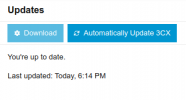
OK, I'm clearly missing something, as that button is present on my system, but greyed out. I have set the logging level to Verbose. I've done the RC3 update. and the update screen now shows the system up to date:-

1707812555521.png
But the version number still shows update 0.

1707812590853.png

And the Capture button is disabled:-

1707812619645.png
 
OK, I'm clearly missing something, as that button is present on my system, but greyed out.
Are you running Hosted by 3CX by any chance? Because the option is greyed out for Hosted by 3CX systems
 
Thanks, yes this one is hosted by 3cx.

I have also managed to resolve the original issue today. It seems that the SIP server that the connection was registered through at vonex, had a setting that overrode the caller id with the trunk DID.

Thanks to all that replied on this, although it didn't end up being a 3cx problem, the process of how to use Wireshark etc to debug the packet trace has been an immensely useful lesson
 
Status
Not open for further replies.