Outbound Calls go direct to Voicemail

Status
Not open for further replies.

yavuzyaylak

Free User
Joined
Oct 17, 2022
Messages
32
Reaction score
2
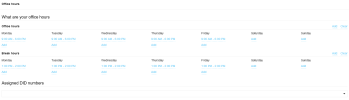
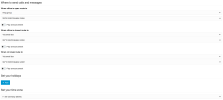
When someone calls from outside the call goes directly to voicemail.

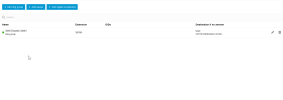
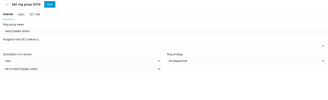
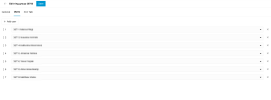
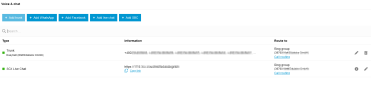
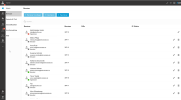
I've checked some stuff but here are my settings. I honestly don't know what the hell is missing.
1675332943417.png

1675332950302.png

1675332957960.png

1675332971207.png

1675332980657.png

1675332990407.png

1675332998204.png

1675333009091.png

1675333019914.png
 
Hi @yavuzyaylak

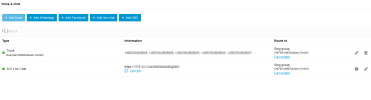
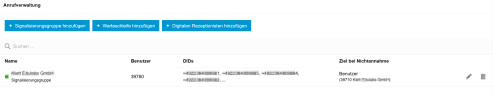
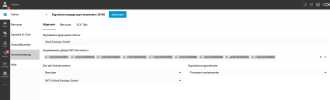
I see that there are no DIDs assigned specifically to your Ring Group. Do you want all inbound calls to be routed to your ring group?
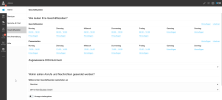
As a test assign a DID directly to your ring group and try calling that. Also make sure you are in office hours and that noone has overridden the office hours manually.
1675339008929.png

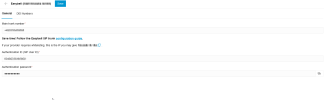
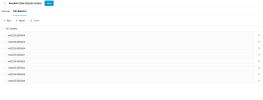
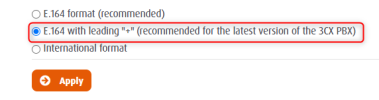
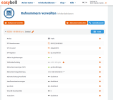
Additionally, in your Easybell customer portal make sure you have the correct number format selected for your numbers:
1675338885302.png
 
  • Like
Reactions: Guillaume Bourgeois
1675343777555.png

1675343976666.png

1675343888342.png

1675343924981.png


1675343851876.png

What now happens is that it appears briefly and then goes to another colleague of mine, this is so weird.
 
What happens is when I add the DID numbers to the signal group the other places where I add gets deleted (office hours, users) I'm very confused and have no clue right now.
 
Can you make 39710 available and try again? Does that extension ring?

What happens is when I add the DID numbers to the signal group the other places where I add gets deleted (office hours, users) I'm very confused and have no clue right now.
The DID can only route to one location so when you add it to the ring group it gets deleted from the other locations
 
I see...

What I want basically is that when somebody calls somebody, if the person is available be able to take the call, if not it goes to another available person. What do I have to do to achieve that? Currently, it rings one time and goes to another person and shows missed call
 
Just made the extension available and called, now now it just calls but I don't receive the incoming call in 3cx
 
What I want basically is that when somebody calls somebody, if the person is available be able to take the call, if not it goes to another available person. What do I have to do to achieve that? Currently, it rings one time and goes to another person and shows missed call
You are doing it correctly, at least from what I am seeing from the screenshots. If you add all your users to a ring group the ones that are available will be polled. If you want to route to an extension first , you will need to route there and then use the forwarding rules of that extension to route the call to the ring group.
Each extension has its own forwarding rules.

Just made the extension available and called, now now it just calls but I don't receive the incoming call in 3cx
I believe you misconfigured something along the way. I would recommend starting simple and route the calls to an extension that does not have any modifications and its available.

Also check the office hours override I mentioned earlier.
 
Thanks, @YiannisH_3CX for the reply, this is still very confusing and I'm just lost right now!

When someone calls from an external number and the 3cx number is available, I want them to answer! If not, the next available person will answer. What do I need to set up to achieve this? Is there a step-by-step docu somewhere where I can look?

I'm really at a loss and it's so confusing, even for a tech-savvy person. There are so many settings and options, it's very confusing!
 
You can do this by using a Ring Group and set the polling strategy to "Prioritized Hunt". The issue here is that your calls are not hitting the correct destination or so it seems from your description.

Things to check:
1. Your numbers you are calling are assigned to the correct Ring Group
2. The ring group has members assigned to it that are available and registered.
3. The office hours are correct and no one has overridden them.

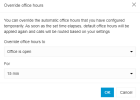
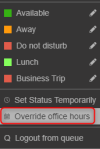
You can check the office hours by clicking on your Avatar at the top left corner of the webclient and then selecting "Override office hours"
1675433044072.png

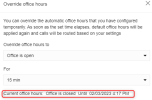
If there is an override you will see it on the bottom of the pop up window.

1675433098010.png

Check the above and let me know
 
Status
Not open for further replies.

Members Online Now

Forum statistics

Threads
111,831
Messages
589,277
Members
164,660
Latest member
RJenkinsROCK