Solved Outbound Dialing Rule for Local Calls - Strip Country Code

Status
Not open for further replies.

Green-Tower

Customer
Joined
Dec 2, 2019
Messages
18
Reaction score
3
All ISD calls from my SIP provided are blocked hence we cannot dial any number with ISD dialing code. All the incoming local calls have country code with them. If I try to call back any local missed call, it does not dial as the number has the ISD code.
For example, +95 1 1234567 is the incoming local missed call. When I try to call back this number, I cannot.
How can I strip +95 and then add "0" to make a successful call.

Thanks,
 
Hi
Try to set a Outbound Rule
Calls Starting with +95,
Strip 3
Prepend 0
Move this ned outbound rule over your normal Outbound rule.
 
I have only one outbound calling rule. Already tried that. It does not help. If I apply this rule, all the outbound calls stop working.
 
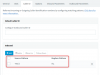
Assuming that you have verified that in the SIP message, the Caller ID is in fact with +95 (you can check this from the Activity Log if you have Verbose Logging enabled), then you could create a Inbound Caller ID reformatting rule like this:
13429

This should do exactly what you want. Note that on the display of the phone you may still see +95... because some providers send the number also in the "Display Name" field, but if you redial it it should go out as 0.....

Give it a shot to see how it goes. Remember, now you will need an Outbound Rule to cover numbers starting with 0....
 
  • Like
Reactions: Green-Tower
  • Like
Reactions: NickD_3CX
Status
Not open for further replies.

Latest Posts

Forum statistics

Threads
111,934
Messages
589,822
Members
164,813
Latest member
divdigital