Outbound Predictive dialer keeps calling even when agents are not logged in

Status
Not open for further replies.

namwirocecil

Free User
Joined
Aug 26, 2019
Messages
16
Reaction score
1
Hi Guys,

I need your help with creating a Predictive/Outbound Dialer. So far one has been created and it seems to skip the check for free extensions component. Could anyone assist on this?

The below script is currently in use but still, I continues to call even iff there is no one in the Queue. Could you assist in updating this. Thanks

using System;
using TCX.Configuration;

public class ExtensionStateHelper

{
public bool IsThereAnyFreeExtension()
{
bool freeExists = true;

Log("HERE3");
Queue queue = (Queue) PhoneSystem.Root.GetDNByNumber("xxxxx");
foreach (var item in queue.QueueAgents)
{
try
{
// Log("HERE4");
Extension ext = item.DN as Extension;
if(ext != null)
{
freeExists = freeExists && ext.GetActiveConnections().Length == 0;
}
}
catch
{
}
}

return freeExists;

}

private bool GetQueueStatus(Extension ext, string qNum)
{
//Here we need to veryfy queue status which should be applied by system
//we need to care about:
//ext.IsOverrideActiveNow, ext.CurrentProfileOverride.ForceQueueStatus, ext.CurrentProfile.ForceQueueStatus
//so:
var status = ext.QueueStatus; // default value
try
{
//currently active profile can force queue status
//so if profile specifies something not equal -1 (means use global status) then we need to show status specified by profile.
int profilequeuestatus = ext.IsOverrideActiveNow ? ext.CurrentProfileOverride.ForceQueueStatus : ext.CurrentProfile.ForceQueueStatus;
if (profilequeuestatus != -1) //means overriden
{
status = (QueueStatusType)profilequeuestatus;
}
}
catch
{
//status left as global
}
if (status == QueueStatusType.LoggedOut)
return false;
Log("HERE2");
var prop = ext.GetPropertyValue("LOGGED_IN_QUEUES");
if (prop == null)
return false;
Log("HERE1");
if (string.IsNullOrEmpty(prop))
return false;
string[] strs = prop.Split(',');
Log("HERE");
Log(prop);
return ((IList<string>)strs).Contains(qNum);
}

public static void Log(string text)
{
string fileName = "/var/lib/3cxpbx/Instance1/Data/Logs/FreeAgentsCheck.log";
string logMessage = String.Format("[{0}]: {1}", DateTime.Now.ToString(), text + "\n");
File.AppendAllText(fileName, logMessage);
}


}
 
The method GetQueueStatus is using some old properties that were available in v15.5, like the property "LOGGED_IN_QUEUES" which is not used anymore in v16. So that script will not work in v16...

There is a component to check which extensions are logged in to a queue, you should use it to avoid these problems. Please check this:
https://www.3cx.com/docs/manual/cfd-components/#h.iu8vhnbz548w

So, this is what you need to do:
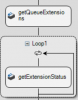
  1. You use the Get Queue Extensions component to get the list of extensions that are logged in to the queue.
  2. You use a Loop component to iterate the values from the getQueueExtensions.ExtensionNumberList property, which contains the extension numbers.
  3. Inside the loop, you check each extension status using the Get Extension Status component. If it's not in a call, you can make the call.


However, this is not the recommended way to go if you want to make calls only when there are agents available. It seems that you're configuring this as a power dialer, but you should use a predictive dialer instead.

When you use a predictive dialer, you specify the queue extension number, and the dialer will do all these calculations automatically for you, and will only execute the dialer flow when it's time to make calls. So you don't need to worry about the queue and the agents, you only take care of other matters, for example date and time conditions. But the queue status is handled automatically by the dialer.
 
Hi edossantos

Thank you so much for the feedback. However I am not too sure how I can add all the Agents extensions inside the Loop Component. Does it mean I will have to add the Get Extension Status Component (suppose) I have 8 agents) I will add 8 components separately inside the Loop Component or how can I go about it. I am basically a learner on this and Should there be an example showing how this can be done, I would very much appreciate.
 
No, the Loop would need a single Get Extension Status component, so you check each extension during each iteration.

However, I think all this discussion is useless. You should configure your dialer as a predictive dialer, set the queue extension number, and the dialer will do this for you...
 
So the Get Extension Status component will just need the Extension number of the Queue and not agents?

However, one last quick question does the predictive dialer check for free extensions that are logged in and are free automatically?
 
Check this on how to create a predictive dialer:
https://www.3cx.com/docs/cfd-predictive-dialer/

Also, check here the differences between the Power Dialer and the Predictive Dialer:
https://www.3cx.com/docs/manual/cfd-creating-callflows-dialers/#h.kfd15fdqfpd6

When you create a Predictive Dialer, you configure the queue extension number in the dialer properties. Then, the dialer will automatically do this iteration for you, checking all the logged in agents for that queue, and having no calls at the moment. That number of agents is considered to determine if it's time to make calls or not. Depending on the "Optimization" setting for the dialer, the dialer might make more calls to keep users waiting on the queue, or make just the necessary calls to keep agents as busy as possible but never having waiting calls....

All those calculations are done automatically by the dialer before the dialer flow is executed. So, when the dialer flow is executed, you're sure that there are agents available ready to take the next call.
 
Thank you once again. I will get back to you should I encounter any other issue. Have a great day.
 
  • Like
Reactions: edossantos
So I managed to setup the Call Flow however it still does not check whether agents are logged in or not. Kindly assist.
 
Can you share your CFD project? How are you configuring the dialer in the project?
 
Kindly find attached.
 

Attachments

This project is not ready, many components are not properly configured and the app doesn't build. There is no way you can upload this to 3CX to test it... Do you have the project you're testing with?
 
This is the same dialer I uploaded. I just removed the IPs and login details to the Database before I shared with you. The App builds after I input the details I deleted. Those are the only configs I removed before I shared the Voice App.
 
OK, then the dialer looks properly configured as a Predictive Dialer, monitoring queue on extension 8032. Is this what you need?

The dialer flow, however, has a few things that are useless. For example:
12086

What are you using that for? The predictive dialer will check if the queue has logged in agents, so you should not worry about this.

I will need to see the 3CXCallFlow.log file, to understand what's going on with this dialer. Please remove any sensitive information before sending it over.
 
Sure.
 

Attachments

There is an error evaluating the Loop condition:
2019/08/28 07:50:11.713|49029|0011|Trc|CallPair._predictivedialerdemo3.Callflow_7.Callflow.6260.[C:2137.2]-From script: PredictiveDialerDemo - Dialer 1 - CallFlow.CFD.LoopComponent 'Loop1' - Evaluating condition...
2019/08/28 07:50:11.714|49029|0011|Err|CallPair._predictivedialerdemo3.Callflow_7.Callflow.6260.[C:2137.2]-From script: PredictiveDialerDemo - Dialer 1 - Dialer - Error executing last component: System.InvalidCastException: Unable to cast object of type 'System.Collections.Generic.List1[System.String]' to type 'System.IConvertible'. at System.Convert.ToBoolean(Object value) at _predictivedialerdemo3.Callflow_7.Callflow.Dialer.<>c__DisplayClass16_0.<InitializeComponents>b__4() at CallFlow.CFD.LoopComponent.EvaluateCondition() at CallFlow.CFD.LoopComponent.Start(Dictionary2 variableMap)
at CallFlow.CFD.SequenceContainerComponent.Start(Dictionary2 variableMap) at CallFlow.CFD.ConditionalComponent.Start(Dictionary2 variableMap)
at _predictivedialerdemo3.Callflow_7.Callflow.Dialer.ProcessStart()

And that Loop should not be there, so please remove that and try again.
 
Here you go. This was after I removed the loop and calls were consistently made without agents in the Queue:
 

Attachments

This is a log from yesterday, which doesn't have the dialer initialization logs that we need. Please do the following:
  1. Restart the 3CX Call Flow Server service.
  2. Make a call to the app to wake up the dialer.
  3. Let the dialer make a call without agents logged in to the queue.
  4. Send me the 3CXCallFlow.log file, which will contain the information we need.

Thanks.
 
Hi @edossantos We managed to get a working version. Thanks for your help.
 
Status
Not open for further replies.

Latest Posts

Members Online Now

Forum statistics

Threads
111,844
Messages
589,330
Members
164,680
Latest member
JV J