Paging Multicast - YealinkT42G

Status
Not open for further replies.

GBC_James

Premier Customer
Advanced Certified
Joined
Feb 3, 2017
Messages
132
Reaction score
24
Hi
I am trying to set up a paging group. It's for special or emergency announcements and will go to 200 phones, basically all of them in the building.
So an ordinary page group failed, probably because to the number of extensions. So I am trying to set up a paging Multicast group, which I have no experience with.

When I set the ring strategy to Paging Multicast, the Multicast options auto populate.
But the ip address of the multicast channel doesn't reflect any ip range on our network. It auto enters 224.0.1.75, and sets the port channel to 50001

Is this correct, and if not, what IP and port should I put?

Also, there seems to be no way to edit the extensions or phones with these settings except by editing the T42 Template. Is that right?
The format of the template doesn't seem to match the 3CX settings.

Any help is much appreciated.
Thanks
 
Update - discussing with our network manager, he tells me 224.0.1.75 is a broadcasting ip, and everything will ignore anything sent unless the device (in this case the handsets) have been told to Listen to that ip.

If that's so, I am struggling to see how to tell the Yealink T42G's to listen to that ip and port.
Firmware version is 29.83.0.20
Cant see anything in the phone UI
Editing the template is catching me out as the formate seems not to match 3CX

e.g.-
#Configure the listening multicast IP address and port number for the phone. X ranges from 1 to 10.
#multicast.listen_address.X.ip_address =

so what is X referring to?
What is the format of the ip address and port? is it 224.0.1.75:5001?

I've attached the multicast settings part of the template, if anyone could help me out with what I should be entering.

Thanks
 

Attachments

If you are using 3CX on-site then multicast paging is super easy. You have configured the ring group. Now go to the extensions you want to hear the page, go to "phone provisioning" and scroll down. under "enable multicast paging ring group provisioning" select your multicast ring group. Re-provision the phones and you are all set.
 
Thanks CentrexJ
I have done that now and first time I tested it everyone got hold music.
One person in the paging group had their status set to away, so I got them to change to Available, and when I tested the paging again, nothing, just silence.
The handset I am paging from just says "talking" on the screen, but nothing happens on anyone else's phone. No beep, no noise, nothing.
 
Hello @GBC_James

Is your server and IP phones in the same network / subnet? If not then multicast paging will not work.
 
Hello @GBC_James

Is your server and IP phones in the same network / subnet? If not then multicast paging will not work.
Hi
Yes they are all on the same network/subnet.
It did work twice but each time all the phones in our test page group just got hold music, I had to press Resume on the handset I was using and then it worked.
But next time I tried it didn't work at all.
Strange that it did work then stopped
 
OK so I decided to delete the page group I had created and start again with a new one.
I have added a few extensions and reprovisioned, and it works!!!! :)

I will now add all the extensions I had before and see if it fails again
 
So it seems it is working now after all.
Thanks everyone :)

I will now add the whole building, approx. 250 phones and see what happens
 
Glad to see the issue has been resolved and thank you for sharing your solution.
 
Glad to see the issue has been resolved and thank you for sharing your solution.
Hi again,
I have come in today and tested the page group and now it is not working.
I have not made any changes since the successful test last Wednesday.
When I dial the page group number, there is just silence.
I have deleted the page group and created a brand new one, and still nothing works.
Very strange.
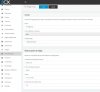
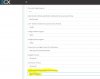
I have added some screen shots of the settings.

page group.JPG provisioning.JPG


UPDATE: So, to get it working again, I have had to delete the multipage group. Then reprovision all phones in that group. Then create a new multipage group. then add the multipage group to the required extensions, and finally reprovision the phones again.

As you can imagine, this is going to be a problem when there are 250+ handsets in the group, if it stops working after a day or so.

Second Update: I spoke too soon, it has stopped working again.
 
Last edited:
So it seems I create a group, test it and it works.
When I come to test it a second time, it fails. I dial the number, there is no beep, just silence and when I speak, nothing comes out of the handset speakers.

So fa, the only way to resolve this is to delete the group and reprovision all the phones again.
 
In this case i would recommend creating a ticket with our support department as they will need to take a look at the PBX logs to determine the issue. A wiresjark capture might also be needed.
 
In this case i would recommend creating a ticket with our support department as they will need to take a look at the PBX logs to determine the issue. A wiresjark capture might also be needed.
Ok thanks
 
keep in mind here that a paging group creates x number of sip channels which means system load and network load.

Multicast paging is pretty great and takes the PBX out of the equation. I've done a lot of provisioning builds on yealinks on more complicated systems. I find the easiest way to do this is the manually build your multicast page listeners and pages in a phone and export that config.

In 3cx the hard part is having different paging listeners on different groups because you'll need a custom template for each group which might get to be a bit of a chore to maintain. If it's just one big paging group then that's easy.
 
Status
Not open for further replies.

Forum statistics

Threads
111,886
Messages
589,560
Members
164,750
Latest member
KasunJay