Under Review PBX credentials

Status
Not open for further replies.

VSC

Forum User
Joined
Mar 16, 2020
Messages
110
Reaction score
14
I am confused and hope someone can "switch on the light" for me ;-)

What is the difference between these two credential sets:
First: General -> Web Authentication
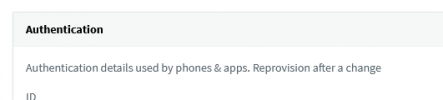
Second: Phone Provisioning -> Authentication

I found out that I can use both to login. E.g. with the webclient. But if I change the password in the settings of the webclient I only can change the "First" one.
 
  • Like
Reactions: SweetAction
web authentication is for users to log in to the web client.
1648118783269.png

phone authentication is for the phone to authenticate with the PBX to pull its config

1648118801273.png
 
But why can I use the phone configuration password to log in to the webclient?
 
For me this seems to be a major security bug.
 
I wouldnt say major, the password is only visible from the management console.
 
That it true, but it is by default only 10 digits long (username is just the simple extension number). 3CX does not support 2FA (which is to me nearly unacceptable nowadays) and a user can not change this password by himself. Additionally the phone authentication and the web authentication credentials are send via unencrypted email over the internet every time a user is requesting his configuration by clicking on "Resend Credentials".

Imagine how many 3CX PBX out there are connecting to a CRM system or are uploading their CRM data (customer names, phone numbers, email adresses etc.). Loosing this data will cause huge reputation damage.

Unless I miss something I really want to raise a red flag here.
 
  • Like
Reactions: Aaronb160
Only the web client password is sent over email and are sent over TLS. So, if security is a concern you should use a custom SMTP and set up encryption for these emails.
 
If you open the attached configfile to provision phones you'll find the phone configuration password as well in clear.

We removed already the web authentication password from the welcome email template.

Using a custom SMTP with encryption is a good idea - I will follow up on this one - thank you.
 
Im sure there are already suggestions in the ideas section for this, so Id go find one and upvote it. But, for the immediate change I would use custom SMTP and set up encryption.
 
Hi @VSC ,

Thanks for bringing this to our attention! I have passed this information on and will update this thread once I have an update.
 
  • Like
Reactions: VSC
I should add though that in the meantime if you want to limit the users ability to log into the WebClient, you can simply uncheck the the "Enable Web Client/Desktop App" option in the "General" tab.
 
I already unchecked the "Enable Web Client/Desktop App" option for all extensions that are not assigned to an active user. But even here you still can log in to the phone apps once you received the QR code.
 
I already unchecked the "Enable Web Client/Desktop App" option for all extensions that are not assigned to an active user. But even here you still can log in to the phone apps once you received the QR code.
Yes, this option just blocks the access to the WebClient. If you want to completely block apps from connecting and making calls, you need to:
  • In the "Phone Provisioning" tab, select "3CX Apps" in the drop down and enable option "Block Presence information in 3CX Apps / Web Client"
  • In the "Options" tab, enable option "Block Remote Tunnel Connections".
 
@NickD_3CX when do you expect to receive an update?
This might be something that goes into the next V18 Update that is released, but I can't confirm that now.
I can't give you an ETA, all I can say again is that once there is some update on the matter, I will update this thread.
 
I also have big concerns about the welcome email security and also the lack of mfa for user accounts, it's simply dire in these time.

As @VSC points out the provisioning file attachments (xml and qr code) contain the credentials in plain text and trying to stop these leaching out via email is not very easy.

You can control whether the attachments are added to the welcome email via a 3CX parameter but this is unavailable on the 3CX hosted version.

As a work around, we've been trying to prevent the users every knowing their 3cx credentials and forcing them to log in via 365 integration because at least then we get mfa via 365.

Even if you don't send the welcome email in the first place the user can simply request it via the mobile app so it still ends up their mailbox.

I've attempted to strip the attachments via Exchange online but that's not technically possible and anyway we shouldn't be forced to plug this clear security loop hole via kludges like this.

Once your credentials (that don't require mfa) are in the hands of a hacker, you might as well just give them your atm card.

This whole situation, in terms of security, is very poor and in my opinion requires urgent attention.
 
Last edited:
  • Like
Reactions: VSC
Thanks a lot @COIT for your hint to prevent 3CX to add attachments to the welcome email. I found it and could switch it off.
The parametername is ATTACH_3CXCONFIG_WELCOMEEMAIL. Parameter to attach 3cxconfig provisioning file to 3CX welcome email used to automatically configure 3CXPhone. Available options 0 off and 1 on.
 
Glad you managed to solve your problem.

Sadly, it doesn't work for me because I'm on the 3CX hosted platform. Clearly the functionality is already there, if they could just enable it as an option in the admin interface it would be a step forward.

I must admit, I'm surprised login security hasn't been beefed up by now. It is mentioned fairly regularly but it doesn't seem to gain traction. I seem to remember reading on here that mfa didn't need to be natively implemented because it was going to be available via 365/Google integration.

Found it https://www.3cx.com/community/threads/3cx-multi-factor-authentication.50642/

Great, but what's the point if you can just sidestep it and log in using 3CX creds, the 365/Google integration needs to be implemented alongside the ability to disable native login otherwise it's a pointless exercise.

It's so easy to phish mailboxes, it really doesn't take much imagination to see how a 3CX provisioning file (and no enforceable mfa) presents a problem.
 
Last edited:
Status
Not open for further replies.

Forum statistics

Threads
111,974
Messages
590,083
Members
164,900
Latest member
Silent_Guru