Solved Polycom 7000 Not generating Provisioning Config file

Status
Not open for further replies.

edokim

Joined
Nov 29, 2017
Messages
49
Reaction score
1
We are trying to add a Polycom Soundstation IP7000 Conference phone, but after filling all appropriate fields and saving, the link for the config file is not generated.
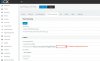
Polycom IP7000.jpg

We have manually provisioned many phones in this way, but it is my first Polycom. Am I missing something?
 
You must first save (OK) the added phone and then return for the config file. Then you click on the link and the file is saved to your PC. You then copy to the TFTP server.
 
The strange thing is that I did update the firmware to the latest version; I can point to the TFTP server of my choice and have it get files. My issue is that 3CX is not generating the configuration file for me. I did save (by pressing OK) and then came back, but still no configuration file. I can pick just about any other phone, and the config file will be there, ready for me to download. Strangely enough, the config file for this particular phone does not generate. Perhaps someone can try to duplicate? I have v15.5.
 
I tried also and it doesn't generate the link. Works for Cisco phones, but not this one.
 
Thanks for taking the time to test, @jimbo59. So this is a bug?

We have experience with creating config files for Cisco phones, but no experience with Polycom. Any suggestions as to how to create my own?
 
Hello @edokim

Please note that what you are pointing at in the screenshot is the provisioning link and not the link to the configuration file. When you import the link to the phone directly or through option 66 the phone will request the provisioning file from the server and the server will generate the file for the phone.
The configuration files are generated on the fly by the server upon request from the phone.
To provision these devices please follow the instructions in the following links.
https://www.3cx.com/sip-phones/polycom-soundstation-5000-6000-7000/
https://www.3cx.com/sip-phones/manually-provision-polycom-soundstation/
 
Hello @jimbo59

Please note Yiannis that this phone does not create the configuration on the fly to move the file to the TFTP server. Have you actually done what you are telling people to do in your links because it appears you have not. The link is created that one clicks on to download the configuration file. In the case of Cisco it works and in this case it does not. Please read what you posted, try it and show us we are doing something wrong as the links you posted do not appear to work with this particular phone.

Please note that the links i have referenced are for provisioning the device via option 66 and for importing the provisioning link directly into the phone. And yes i have tried the methods described in the provided links and they do work as described. To make sure the provisioning link is working and the server generates the configuration file you can manually request it by copying the link from the phones provisioning tab and append the MAC address and the suffix cfg. For example:
http://{local IP}:5000/provisioning/{Random_Folder}/{MAC_Addr}.cfg
when you paste this link into a browser you will be able to download the configuration file of the phone (if the phone is local to the server). These phones are supported only for local provisioning.
 
Last edited:
Hi Yiannish,

It seems strange that for this specific phone, the config file name is not generated automatically and the link is not complete. For other phones, the link is populated automatically (including full file name) and all we have to do is click on the link (per the instructions) to get the file.

I tried putting in the MAC address manually per your suggestion, and I was able to download a config file. But seems incomplete. I have pasted the complete contents below.

So the first issue is that the link is incomplete (by design or a bug?), and therefore simply copying and pasting in Option 66 settings will not work. And second, once we manually add the {MAC_Addr}.cfg name, we can download the file, but the contents are still incomplete and the phone will not be provisioned correctly.

I will appreciate your feedback.

Code:
<?xml version="1.0" encoding="UTF-8" standalone="yes"?>
<!-- polycom [MACADDRESS].cfg file for firmware and bootrom/updater donloader-->

[INDENT]<polycomConfig xmlns:xsi="http://www.w3.org/2001/XMLSchema-instance" xsi:noNamespaceSchemaLocation="polycomConfig.xsd">

<APPLICATION
    APP_FILE_PATH="sip.ld"
    CONFIG_FILES="[PHONE_MAC_ADDRESS]-config.cfg"
    MISC_FILES=""
    LOG_FILE_DIRECTORY="http://dummypolycomlogserver.com/"
    OVERRIDES_DIRECTORY=""
    CONTACTS_DIRECTORY=""
    LICENSE_DIRECTORY=""
    USER_PROFILES_DIRECTORY=""
    CALL_LISTS_DIRECTORY="http://dummypolycomlogserver.com/"
    COREFILE_DIRECTORY="">
</APPLICATION>

</polycomConfig>
[/INDENT]
 
Last edited:
Hello @edokim

Please note that this phone as all polycom phones is http capable, meaning it can be provisioned without TFTP, with option 66 or via its web interface. Once you import the provisioning link into the web interface of the phone (either manually or with option 66) the phone will request the config file from the server.
If you try and add a different polycom phone you will see that the link is the same. This applies also for Yealink, Snom, Fanvil, and Htek phones which for some the link may vary but it is not clickable and will not provide you with a config file. This also applies for Cisco SPA phones that have a web interface. Cisco 79XX series need to be provisioned via TFTP thats why the link is clickable and you are provided with a config file. But those are the exception as they are very old phones.

Now the file you manually requested is correct but it is not the actual configuration file. That is defined in the file you mentioned. The phone will get this file and then request
Code:
CONFIG_FILES="[PHONE_MAC_ADDRESS]-config.cfg"
which contains the actual configuration file. This file will point the phone to all the necessary files (that are mentioned in the guide) and the phone will get provisioned.
 
Thanks @YiannishH,

For some reason, following the indicated steps and having the phone provision through the provided link did not work. But manually downloading the "[PHONE_MAC_ADDRESS]-config.cfg" and putting into my TFTP server worked perfectly. Thanks for the more in-depth explanation of how the config files are served; will definitely come handy in futures provisionings.

Ed
 
Status
Not open for further replies.

Latest Posts

Forum statistics

Threads
111,881
Messages
589,534
Members
164,739
Latest member
wmlcon