Provisioning a Linksys SPA-3102 gateway

Status
Not open for further replies.

engin411

Customer
Joined
Jul 3, 2009
Messages
174
Reaction score
0
This page http:/ /www.3cx.com/voip-gateways/linksys-3102-provisioning/ - NO LONGER AVAILABLE
says this: In the “Provisioning” page “Profile Rule” option, inputhttp://10.172.0.116/management/pro ... ys3102.xml where in this example, 10.172.0.116 is the IP of the IP PBX web interface.

I have the config file downloaded to my laptop as well, and it's named "linksys-spa-3102.gwcfg". That doesn't match what the help page is telling me the file name is.

Should I adjust the file name in the provisioning path I enter into the gateway?
 
I've always just done a manual configuration, as it can be done in a matter of minutes if you are familiar with the 3102, so this information is not from experience.

The file name that you specify as a configuration file must match the file name you are attempting to download. That said, the 3CX site may have old information and the new config file may indeed now have a different suffix. However, if the 3102 used to use an XML file for configuration, then it still should require that file type.

So, you can try working with the config file that has been created, if that doesn't work, you could try renaming it to an XML file and try again. Try viewing the file on your browser after the rename.

This would also tend to indicate that the file should be XML..

http://www.3cx.com/blog/voip-howto/phone-provisioning-complete-guide/
 
I found the file on the pbx and it actually is named correctly according to the guide. However, I can't view the file in my browser. Using Server 2012 and IIS to run 3CX. I actually have the firewall off right now just to try to get *something* working.

Does someone have a list of troubleshooting steps to take to ensure that the configuration file can be accessed over the LAN? And for the record, the PBX and gateway are in the same LAN/subnet.
 
Other than using Wireshark to monitor the request from the 3102, to download the file, you might try using the built in syslog server in the 3102. it will send logs to a program such as Kiwi syslog http://www.kiwisyslog.com/downloads.aspx (there is a free trial you can use). That might help pinpoint what settings are incorrect.

I'm assuming that you are able to log into the 3102 with no problems, have given it a fixed IP (along setting up the other network settings), as well as enabling configuration.
 
This is crazy. Does anyone else have the Linksys SPA3102 configured *and working* as a gateway, allowing an analog PSTN line to be used by 3CX when 3CX is installed on Windows Server 2012?
I have set it to factory defaults via the IVR and have it upgraded to firmware 5.1.10 (GW).
I have the gateway set up in 3CX, following the wizard. 3CX firewall checker reports back "all OK". The config file is indeed in the provisioning folder. I have followed this provisioning guide http: //www.3cx.com/voip-gateways/linksys-3102-provisioning/ - NO LONGER AVAILABLE

The gateway is not registering.

When I created the gateway in 3CX, it gave a message about not having the ID in the same range as the port, but it was not clear exactly which setting should be changed. The labels in the warning did not match the labels in the configuration. Currently, in 3CX the Port Identification and Authentication ID are both 10001, and I don't know if that's good or bad.

There is also confusion about the port. When 3CX created the gateway, it used 5062. I changed that to 5060. In the gateway configuration pages, there is a SIP Port field on the Line 1 page, and another SIP Port field on the PSTN Line page. I have both set to 5060. I assume this is all correct.

Profile Rule on the Provisioning page is http://192.168.3.200/management/provisi ... ys3102.xml. I tried adjusting this to https, but no go.

Gateway has a static IP, is plugged into the same LAN as the PBX using the Internet (blue) port on the gateway, not the Ethernet port.

Can anyone perhaps email me screenshots of your working config?
 
engin411 said:
This is crazy. Does anyone else have the Linksys SPA3102 configured *and working* as a gateway, allowing an analog PSTN line to be used by 3CX when 3CX is installed on Windows Server 2012? The type of server will not make any difference as the 3102 is interacting with 3CX.
I have set it to factory defaults via the IVR and have it upgraded to firmware 5.1.10 (GW).
I have the gateway set up in 3CX, following the wizard. 3CX firewall checker reports back "all OK". The firewall should not be involved as the 3102 and the 3CX PBX are on the same LAN. The config file is indeed in the provisioning folder. I have followed this provisioning guide http ://www.3cx.com/voip-gateways/linksy ... visioning/ - NO LONGER AVAILABLE


The gateway is not registering.

When I created the gateway in 3CX, it gave a message about not having the ID in the same range as the port, but it was not clear exactly which setting should be changed. The labels in the warning did not match the labels in the configuration. Currently, in 3CX the Port Identification and Authentication ID are both 10001, and I don't know if that's good or bad.

There is also confusion about the port. When 3CX created the gateway, it used 5062. I changed that to 5060. In the gateway configuration pages, there is a SIP Port field on the Line 1 page, and another SIP Port field on the PSTN Line page. I have both set to 5060. I assume this is all correct. By default the 3102 will use 5060 for the ATA part and 5061 for the Gateway part. If you are just planning on using the gateway then you can leave it at 5061 or change it to 5062, which is what 3CX defaults to in the trunk settings. As long as both ends are the same, and there is no conflict with the port on the ATA part, then you should be OK.

Profile Rule on the Provisioning page is http://192.168.3.200/management/provisi ... ys3102.xml. I tried adjusting this to https, but no go.

Gateway has a static IP, is plugged into the same LAN as the PBX using the Internet (blue) port on the gateway, not the Ethernet port.

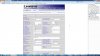
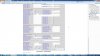
Post a screenshot of the PSTN tab (to begin with) and I can point out any settings that are going to cause problems.

I'm assuming that for the time being, the LINE (ATA) has been disabled.
 
Certainly, and thanks for the willingness to help.
 

Attachments

  • lonnie031.jpg
    lonnie031.jpg
    126.9 KB · Views: 1,814
  • lonnie032.jpg
    lonnie032.jpg
    204.1 KB · Views: 1,810
  • lonnie033.jpg
    lonnie033.jpg
    211.9 KB · Views: 1,778
  • lonnie034.jpg
    lonnie034.jpg
    222.9 KB · Views: 1,760
  • lonnie035.jpg
    lonnie035.jpg
    199.9 KB · Views: 1,764
OK... Change these settings


PSTN tab

Display name= (whatever you want to identify the line), This name will generally show on incoming caller ID if there is no name sent from your provider.

User ID = 10001
Password- a5mhqua (or whatever you want as long as it matches that in the 3CX trunk settings)
Auth ID- 10001
Use Auth ID =yes

PSTN ring thru LIne 1 = NO
PSTN CID for VoIP CID= YES
PSTN Answer delay = 3 (best for CID in North America, you might need to put in a different value depending on your location)
PSTN Caller default DP =8
Dial Plan 8 = (S0<:10001>) that's a zero after the "S"

There may be some other settings that require tweaking, in the network settings. You are using port 5062 so be sure that the 3CX trunk settings also use this port (for this trunk). The LINE 1 tab isn't necessary unless you plan on using that. It can be dealt with later.

The factory default setting on the 3102 are for North America, so things like disconnect tone detection, and other regional "bits" may also require some adjustments.

Here is a link to the manual set-up.

http: //www.3cx.com/voip-gateways/linksys-3102/ - NO LONGER AVAILABLE
 
Thanks so much! I appreciate it. However, after changing these settings exactly as you describe, nothing has changed. The gateway has a red button and "Not Registered" in 3CX.

Under Provisioning, the profile rule is /spa$PSN.cfg. Should this point to the 3CX provisioning folder?

What about the patch cable? Should it be in the Internet or Ethernet port?
 
engin411 said:
Thanks so much! I appreciate it. However, after changing these settings exactly as you describe, nothing has changed. The gateway has a red button and "Not Registered" in 3CX.

Under Provisioning, the profile rule is /spa$PSN.cfg. Should this point to the 3CX provisioning folder?

What about the patch cable? Should it be in the Internet or Ethernet port?

If you are going to manually configure it, then don't worry about setting up the config file, it will only overwrite any changes you make to the 3102.

Post the network settings tab of the 3102.

You will plug into the blue socket (Internet). The yellow (Ethernet) socket can be used to bridge an additional device to save a port on your router, BUT requires that to be set properly and the in-built DHCP server to be disabled. There is a router inside the 3102 as well, although most people probably won't use it.

You can also check the 3CX log after a registration attempt. it will show if the 3102 is getting through, and at least trying.
 
Ok, it's plugged into the internet port. There is no network settings tab. See my screenshots.
 
The network settings are all tabs under the Router tab.
 
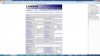
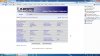
Ok, four screenshots from the Router tab. Do you see anything incorrect there?
 

Attachments

  • lonnie036.jpg
    lonnie036.jpg
    121.2 KB · Views: 1,595
  • lonnie038.jpg
    lonnie038.jpg
    119.7 KB · Views: 1,593
  • lonnie039.jpg
    lonnie039.jpg
    130.4 KB · Views: 1,587
  • lonnie040.jpg
    lonnie040.jpg
    120.9 KB · Views: 1,587
I don't recall ever changing anything in the Application Tab, just leave it all as default.

In Lan Setup, you can change the Networking Service to Bridge, if you wish to connect another device through the 3102, like a PC or another SIP device.

In Wan Setup, I'm assuming that 192.168.3.209 is the static IP that you want the 3102 to use. This IP is also in the 3CX trunk setting.
You should put your router address in the Gateway space, 192,168.3.1 ? This step may be the cause of your problems. Primary DNS can usually, also be set to your router IP. Most routers will pass DNS requests out to your ISP.

If you ever plan on using the ATA along with caller ID, you'll want to put the URL or IP of an NTP server. This will display the time correctly on the caller ID device. One (primary) will usually suffice. this allows the 3102 to "pick up" the correct time and date. You time zone, etc. also has to be setup correctly at the bottom of the Voice/regional tab. There are numerous, free, NTP Servers available if you do a Google search.
 
Got it now, the wonderful green button showing it's registered. I think it was the gateway or DNS or ntp server. Thanks for your help!
 
It was probably the Gateway setting that was missing, the other are not that critical.

In the SIP tab, be sure to change RTP Packet size from the default of 0.030 to 0.020, if you have not yet done so.

There are other settings that may require a change, but after you get the basics working.
 
Status
Not open for further replies.