Solved Provisioning via HTTPS

Status
Not open for further replies.

Michael Weber

Premier Customer
Joined
Feb 15, 2023
Messages
17
Reaction score
1
Hello everyone,

I already had another post about provisioning and as a solution we ran the provisioning over HTTP.
My new request would be how we can run the provisioning via HTTPS. All automatically generated links are always HTTPS which only causes problems if only HTTP works and we have to adjust it manually.

Our system is self hosted and uses a certificate via letsencrypt.
It is also the V20 on Debian.

Kind regards
Michael
 
Hi Michael,

It's not clear exactly what you mean above but as I understand you host your own PBX locally.

V20 is designed with this ability in mind. Split DNS is a requirement for this to work, so if you don't have it then it's time to set it up for your on-premises install. https://www.3cx.com/docs/creating-fqdn-split-dns/


Then you will have two options here:

- Remote phones: can only use HTTPS with a FQDN
- Local phones: can use either HTTPS+FQDN or plain http+IP for provisioning


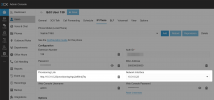
To select which one you want for local phones, you change it from the phone settings, under interface
1712216547195.png

Make a choice, save, then come back to this page to see the provisioning link change accordingly.
Give it a try now and see how it works.
 
  • Like
Reactions: TheodorosG_3CX
Thank your for the Quick response.

It's not clear exactly what you mean above but as I understand you host your own PBX locally.
Yes exactly, we host our 3cx locally. But it uses a Public IP address in our DMZ.
Split DNS is a requirement for this to work
We already use Split DNS, so that cannot be the Problem

On the network interface I have 2 options, either the FQDN or the public IP adress. Both will use https and I cant see where to change it.

Hopefully this information will bring more clarity
 
Hi Michael,

Yes it makes perfect sense now and I understand why you have this issue.

You setup your machine as full public basically, which means local phones are not possible and plain http is disabled.

The way we differentiate between local and public phones to adjust our provisioning and audio handling relies on having an RFC1918 internal network and your machine does not have an IP in that range so local functionality is not available.
 
Hello,

I'm glad to hear that.
However, to make my problem even clearer. The following problems are probably related:

- The provisioning of the W80DM from Yealink only works if I manually adjust the commission link and use http.
- The 3cx phonebook only works if I change the address on the phone's web interface to http

However, I would like to do both with HTTPS, but that doesn't seem to work. I would therefore like to know what adjustments I need to make here. Hopefully someone has an approach.
 
Your NIC needs to have a private IP, and the phones need to be in that private IP range.

10.0. 0.0 – 10.255. 255.255 (10/8 prefix)
172.16. 0.0 – 172.31. 255.255 (172.16/12 prefix)
192.168. 0.0 – 192.168. 255.255 (192.168/16 prefix)
 
We have a total of around 10 different network areas with IP telephones at different locations with different firewalls.
This will therefore not be feasible.
However, we have opened all the necessary ports on the firewall and no traffic is blocked.
 
Indeed as you said this will not be feasible from either side. What I can suggest (so you can run 3CX in a supported manner) is to use a separate 3CX SBC behind each network.

This way the phones will use the SBC and communicate with it locally in their own private LAN, then the SBC will reach the PBX over its public IP. The phones will also need to be able to resolve the FQDN via its public IP to download their config files but the registration and audio will run via their local SBC.

Also make sure to read this to see what options you have: https://www.3cx.com/blog/docs/network-configurations-supported-3cx-phone-system/
 
  • Like
Reactions: OlegR_3CX
Will a Router Phone also do the job?
 
The router phone will do the job, as it has a tunnel built in there. Give it a try.
 
Many thanks for the advice.
I have now set up a router phone (T54W) to test the function.

However, the first problem is already apparent here. The provisioning works, but the router phone cannot query the phone book via the HTTPS link. The message appears: Remote-Phonebook cannot be downloaded.
However, nothing is blocked on my firewall and nothing appears in the admin console event log either.

As soon as I change the link on the phone's web interface to http, the phone book pulls up immediately.
 
Are you using a custom FQDN or a 3CX FQDN? If custom check it at https://www.ssllabs.com/ssltest/ to make sure you're not missing an intermediate certificate.
 
As i can see you are using a custom FQDN. If this is the case this is something you need to clarify with vendor.
 
To clarify, we are using a letsencrypt certificate.
 
If you Disable the option to Accept Trusted Certificates from the phone's web interface, does it get the phonebook?
 
If you Disable the option to Accept Trusted Certificates from the phone's web interface, does it get the phonebook?
We have already deactivated and tested the option. However, nothing changes.

Once again at this point as a note. If we manually change the address book link (on the web interface) to http, the address book will work. Not with the standard https link.
 
You also mentioned that there are 2 NIC's on your server correct?
Both have a configured Gateway?
 
At the moment we only have one NIC with a v4 and v6 address. And of course configured with the gateway.
In the future, we may add another NIC with an internal IP.
However, this shouldn't make any difference with a router phone.
 
Thank you for your help in finding the problem.
We have tested everything and have now installed the V20 Update 1 as a last resort. And it has actually helped. The Problem no longer exists and everything works as expected.

Best regards
Michael
 
Glad to know that issue is resolved. ;)
 
Status
Not open for further replies.

Members Online Now

Forum statistics

Threads
111,831
Messages
589,277
Members
164,660
Latest member
RJenkinsROCK