PUSH Client not Registering Latest V15

Status
Not open for further replies.

ITMan

Customer
Joined
Mar 14, 2017
Messages
2
Reaction score
0
Hi,
We have setup a new 3CX Server with a mix of Yealink Phones and Android Clients.
We have about 12 mobile clients. All devices are of the same make and model with the latest 3CX client installed.
We have noticed that 3 clients get a red dot in the extension overview. This happens when the device is locked. When we unlock, the device is set to the green dot and all functions work as expected.

What is strange is that the other Android clients stay green even when in lock and wake-up as they should when called.
We have our own push service account with google.
I have noticed in the dailer log after rebooting the Qeuemanager that all the working Adroid Clients get a message like. " Update PUSH client for extn.***: Allowed, regid = **********" and then "PUSH Client for Extn.***:Registering"
The Extensions with the issues do not appear in this list and appear not to get an update to the PUSH client.

We have removed and recreated the extensions with all the settings as needed.

Any help would be appreciated.
 
Hello @ITMan

Please make sure that Push in enables for those extensions. you can check by navigating to extensions, select and edit your extension/ phone provisioning/ select the 3CX client from the drop down menu and make sure that Push is enabled. Also note that if push is enabled and you register that extension once it should stay registered. If the option is turned off please turn it on and re-send a new welcome email to re-provision the handset
 
@YiannisH_3CX

That is just the problem we are facing. We have already done the formentioned actions on the extensions. Problem is that the 3CX client doesn't stay registered.
We have deleted the extensions, re-created them, resent the welcome mail. With no success.
Do we need to look at Firewall settings?
 
I have sent you a p.m.
 
@YiannisH_3CX

That is just the problem we are facing. We have already done the formentioned actions on the extensions. Problem is that the 3CX client doesn't stay registered.
We have deleted the extensions, re-created them, resent the welcome mail. With no success.
Do we need to look at Firewall settings?

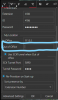
My money is on your FQDN not resolving properly to the phones... here's a copypaste of another post i just made to try... I see a lot of messy forum posts about registering a 3cx client from outside of your home network. Lotta BAD advice floating around there... I was having this issue. By default when setting up with the welcome email, it inputs the FQDN for "external location" in the client settings under account set-up... which is fine, IF you have a DNS record set-up at your FQDN... we did not, nor did we have access to change our FQDN settings... so, the real thing to try as a FIRST step (assuming you don't have access to your FQDN) would be to re-address to the external IP of your 3cx server on the soft-phone client in settings, under accounts, to effectively bypass an improperly set-up FQDN. ... that's how I fixed it/figured it out anyways. It's a band-aid technically, yes, however... who cares!!!! as long as it makes it work!!! I circled the place to switch out your FQDN with your external IP of your 3cx server. you can try that... it may eliminate some issues for you.
 

Attachments

  • 3cxfix.PNG
    3cxfix.PNG
    142.8 KB · Views: 22
@Matthew Grenier

The reason i have sent ITMan a p.m. is because i want to see some files that are not meant to be seen in a public forum so i can help determine the issue. Once and if we find the issue we will report back here to let the people know. There are some personal settings that are not meant to be published in public forums.
And please keep in mind that just because you resolved your issue that way does not mean all people have the same issue. The problem in this post is that extensions in the PBX become un-register (not all) and do not receive push. The other extensions do receive push messages so push works so his FQDN resolves correctly. Clearly then the issue is with some extensions that is why the files are needed.
 
@Matthew Grenier

The reason i have sent ITMan a p.m. is because i want to see some files that are not meant to be seen in a public forum so i can help determine the issue. Once and if we find the issue we will report back here to let the people know. There are some personal settings that are not meant to be published in public forums.
And please keep in mind that just because you resolved your issue that way does not mean all people have the same issue. The problem in this post is that extensions in the PBX become un-register (not all) and do not receive push. The other extensions do receive push messages so push works so his FQDN resolves correctly. Clearly then the issue is with some extensions that is why the files are needed.

No doubt... I just hate seeing bad threads... but don't worry.. it's redeemed with your response... and you are absolutely right. I was just offering a method of excluding a tough variable from set-up, it's true, probably shoulda been more clear about that than "it may eliminate some issues for you"...sorry.
 
Status
Not open for further replies.

Members Online Now

Forum statistics

Threads
111,832
Messages
589,285
Members
164,662
Latest member
DejanMDS