Puzzling REGISTER commands in Activity Log

Status
Not open for further replies.

epowers

Customer
Joined
Feb 16, 2022
Messages
12
Reaction score
1
I'm getting quite a few of the below messages in my activity log after setting up an on-premise 3CX Debian image. I have blocked 23.148.145.114 in both my firewall and in 3CX, but these packets keep coming through, and eventually cause my Public WAN IP to be blocked by 3CX. Any ideas what's going on, or what I can do to prevent it?

Thanks!

02/16/2022 8:36:45 AM - [CM102001]: Authentication failed for AuthFail Recv Req REGISTER from {MY.PUBLIC.IP}:38410 tid=0db5aff54548ca12cb0f867302c464f686bbc788b4cfa91413e3582112d798 Call-ID=55ce8b20e4014953e8ed881daf364166:
REGISTER sip:{MY.PUBLIC.IP}:5060 SIP/2.0
Via: SIP/2.0/TCP 23.148.145.114:38410;branch=z9hG4bK0db5aff54548ca12cb0f867302c464f686bbc788b4cfa91413e3582112d798;received={MY.PUBLIC.IP}
Max-Forwards: 70
Contact: 107 <sip:[email protected]:38410>
To: 107 <sip:107@{MY.PUBLIC.IP}:5060>
From: 107 <sip:107@{MY.PUBLIC.IP}:5060>;tag=6c0d3de13f1491771e240dea39bf9595
Call-ID: 55ce8b20e4014953e8ed881daf364166
CSeq: 2 REGISTER
Expires: 1800
Proxy-Authorization: Digest username="107",realm="3CXPhoneSystem",nonce="414d5359620d281c24:1b04f0769080fa68f245afa465d346de",uri="sip:{MY.PUBLIC.IP}:5060",response="93b3c54d458bf34d3196d7e994ef82da",algorithm=MD5
Content-Length: 0

; Reason: Credentials don't match, check that authorization-ID and password match the ones in extension settings


02/16/2022 8:28:45 AM - [CM102001]: Authentication failed for AuthFail Recv Req REGISTER from {MY.PUBLIC.IP}:44718 tid=479dc011af781b64fbd9a05ec60c8e43d309ce96bb51871863f4d08d22592c Call-ID=5a1eaceca5c8f9923ccf845272335887:
REGISTER sip:{MY.PUBLIC.IP}:5060 SIP/2.0
Via: SIP/2.0/TCP 23.148.145.114:44718;branch=z9hG4bK479dc011af781b64fbd9a05ec60c8e43d309ce96bb51871863f4d08d22592c;received={MY.PUBLIC.IP}
Max-Forwards: 70
Contact: 107 <sip:[email protected]:44718>
To: 107 <sip:107@{MY.PUBLIC.IP}:5060>
From: 107 <sip:107@{MY.PUBLIC.IP}:5060>;tag=50020f5fa90083a5a1e6dd87e1fed75b
Call-ID: 5a1eaceca5c8f9923ccf845272335887
CSeq: 2 REGISTER
Expires: 1800
Proxy-Authorization: Digest username="107",realm="3CXPhoneSystem",nonce="414d5359620d263d02:7849e372c16fedccb6a65c0bc773c6b4",uri="sip:{MY.PUBLIC.IP}:5060",response="03ab94b95ece7498c8abcba94bd85fa5",algorithm=MD5
Content-Length: 0

; Reason: Credentials don't match, check that authorization-ID and password match the ones in extension settings
02/16/2022 8:20:51 AM - [CM102001]: Authentication failed for AuthFail Recv Req REGISTER from {MY.PUBLIC.IP}:51130 tid=f8d893bc9589b11c3eb03a9b3cbc94d4aab6b3fdf3369716666b85f6700fea Call-ID=df9c4efffbc2d6c3734c014c12153652:
REGISTER sip:{MY.PUBLIC.IP}:5060 SIP/2.0
Via: SIP/2.0/TCP 23.148.145.114:51130;branch=z9hG4bKf8d893bc9589b11c3eb03a9b3cbc94d4aab6b3fdf3369716666b85f6700fea;received={MY.PUBLIC.IP}
Max-Forwards: 70
Contact: 107 <sip:[email protected]:51130>
To: 107 <sip:107@{MY.PUBLIC.IP}:5060>
From: 107 <sip:107@{MY.PUBLIC.IP}:5060>;tag=40fef70d3a2e5cdee6adf876cdd88985
Call-ID: df9c4efffbc2d6c3734c014c12153652
CSeq: 2 REGISTER
Expires: 1800
Proxy-Authorization: Digest username="107",realm="3CXPhoneSystem",nonce="414d5359620d246365:dcea44e1082c0600823523f29f616e82",uri="sip:{MY.PUBLIC.IP}:5060",response="d7edadbd9c8e1ff71e74efeb151ae097",algorithm=MD5
Content-Length: 0

; Reason: Credentials don't match, check that authorization-ID and password match the ones in extension settings
02/16/2022 8:12:50 AM - [CM102001]: Authentication failed for AuthFail Recv Req REGISTER from {MY.PUBLIC.IP}:57348 tid=915dda4691f121ceaa18cdd2f8a4252acc94dee32e3658de6b3f025fbcdce9 Call-ID=8cb2326a5e8c8c1ad8eba112b76485df:
REGISTER sip:{MY.PUBLIC.IP}:5060 SIP/2.0
Via: SIP/2.0/TCP 23.148.145.114:57348;branch=z9hG4bK915dda4691f121ceaa18cdd2f8a4252acc94dee32e3658de6b3f025fbcdce9;received={MY.PUBLIC.IP}
Max-Forwards: 70
Contact: 107 <sip:[email protected]:57348>
To: 107 <sip:107@{MY.PUBLIC.IP}:5060>
From: 107 <sip:107@{MY.PUBLIC.IP}:5060>;tag=43ed53d304136821e178975b4002419b
Call-ID: 8cb2326a5e8c8c1ad8eba112b76485df
CSeq: 2 REGISTER
Expires: 1800
Proxy-Authorization: Digest username="107",realm="3CXPhoneSystem",nonce="414d5359620d228295:2ce34246f00e9d5399fc414c53042e56",uri="sip:{MY.PUBLIC.IP}:5060",response="a0b130a4453e74242fba0548f8fd4984",algorithm=MD5
Content-Length: 0

; Reason: Credentials don't match, check that authorization-ID and password match the ones in extension settings
Also, I periodically get a message similar to this one.
02/16/2022 8:02:00 AM - [CM102001]: Authentication failed for AuthFail Recv Req REGISTER from {MY.PUBLIC.IP}:55655 tid=209754399 Call-ID=1175493412-798151319-1596123780:
REGISTER sip:{MY.PUBLIC.IP} SIP/2.0
Via: SIP/2.0/UDP 10.10.10.7:55655;branch=z9hG4bK209754399;received={MY.PUBLIC.IP}
Max-Forwards: 70
Contact: <sip:[email protected]:55655>
To: <sip:867658902567@{MY.PUBLIC.IP}>
From: <sip:867658902567@{MY.PUBLIC.IP}>;tag=114976251
Call-ID: 1175493412-798151319-1596123780
CSeq: 2 REGISTER
Proxy-Authorization: Digest username="867658902567",uri="sip:{MY.PUBLIC.IP}",algorithm=MD5,realm="3CXPhoneSystem",nonce="414d5359620d1ff724:bae1e3d8114ddd8c3fc2defb874790a3",response="4b50a997ed43d0344516749b5e9390b4"
User-Agent: Avaya IP Phone 1120E
Content-Length: 0

; Reason: Credentials don't match, check that authorization-ID and password match the ones in extension settings

Thanks in advance for your help!
 
What's your current security settings? Sounds like regular hackers but it shouldn't get your own IP blocked tho, that doesn't make sense.
 
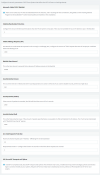
Here's a screenshot of my Anti-Hacking section:

1645035419085.png
 
It's almost like the "attacker" is spoofing our public WAN IP in the SIP header?? I did find that blocking all non-known IPs at the firewall level stops the log activity (attacks), but that's no good when I have external devices (SIP phone on STUN and mobile apps).
 
Last edited:
It's almost like the "attacker" is spoofing our public WAN IP in the SIP header??
Could it be a pinhole attack? Something local attacking?
 
I highly doubt there's anything internal that is attacking. The WAN IP we are using is one of many IPs we have, and is not being used for anything else, also, the extensions that are being "targeted" are not in our range, so it's not like it's a rouge device or anything...
 
If all your users are connected and don't have any problems with their Softclients, I would say that your 3CX installation is doing exactly what it needs to be.
Your idea to reduce the "Failed Auth Attempts" to 3 is a good idea, although I would consider settings it to 5, because if one of your users needs to retransmit their Register request, they might accidentally get blocked.
Also, you could increase the Blacklist time to 864000 (10 days), this is usually enough to deter hackers from your IP after a few days and move on.

This also would be a good chance to review that all extensions have safe passwords and maybe also check out our Advanced course here:
https://www.3cx.com/3cxacademy/videos/advanced/security-with-3cx-phone-system/

More precautions you can take are:
  • Security --> Allowed Country Codes: have only the countries that your users are allowed to call (remove all unused)
  • Review Outbound Rules, maybe 5-6 of the employees need to be able to call world-wide, the rest limit them only to calling within your country.
  • Speak with your Provider and make sure they have fraud detection system or you have a 'max' for your monthly billing. In the unlikely event someone manages to get through all of the above, this can reduce the amount of damage that will be caused. You could calculate this bases on your avg monthly usage +25% for example.
 
  • Like
Reactions: leejor
Thanks for this informative and thorough response!

Still not sure how it's possible that the "attacker" is spoofing my WAN ip in the REGISTER command. For reference, we are using Twilio as our SIP trunking provider, so I do have great visibility into what's flowing in. I can tell you for sure that Twilio is not what is generating the AuthFail messages. When I set the firewall to only allow the Twilio IPs, the activity log entries stop coming in, so it's definitely coming from the WAN side, and not from the Twilio IPs. As a reminder, the issue here is that after 3 Failed Auth Attempts, the Anti-Hacking system blocks our WAN IP, which is definitely not good. :)

I have a meeting with our 3CX partner this morning, and if that doesn't turn anything up, I'll open a ticket both with 3CX and with our firewall provider.

Thinking we can't be the only ones with these issues... We are brand new to the 3CX ecosystem, so perhaps we're doing something wrong in our config...

Thanks again for the responses!
 
I don't think there is anything someone can do for you to be honest. Hackers/Scammers constantly scan the whole internet looking for ports open and responding to SIP messages.
There is no way of preventing this if you need to have your ports open.

Example, you are using Twilio as your provider and all your Remote Workers are using only the following:
  • 3CX Apps
  • IP Phones via SBC
  • WebClient
Then you can limit the SIP Port to the Signaling IPs of Twilio only and you should be fine.

If you have users with Remote STUN IP Phones, then you can't do this, so consider converting them to one of the above, then you can close the ports.

That is THE ONLY WAY to stop getting these attacks.
But, if you have taken the precautions I mentioned earlier, then you should be absolutely fine with your 3CX, even without closing any ports.
 
  • Like
Reactions: epowers
Ahhh, I think that's where I'm getting tripped up. If I implement a SBC, then the IP Phone will connect to it rather than the PBX directly, such that I can restrict inbound packets to only those coming from Twilio?

Do I need an SBC for each remote network, or can I use a single SBC for all remote networks with IP phones? I suppose I'd prefer to have a single SBC and have all remote devices connect to it rather than having an SBC for each remote network.

Thanks a bunch!
 
Ahhh, I think that's where I'm getting tripped up. If I implement a SBC, then the IP Phone will connect to it rather than the PBX directly, such that I can restrict inbound packets to only those coming from Twilio?
Yep! That is absolutely right.


Do I need an SBC for each remote network, or can I use a single SBC for all remote networks with IP phones? I suppose I'd prefer to have a single SBC and have all remote devices connect to it rather than having an SBC for each remote network.
It would have to be 1 SBC per remote site. Also remember that each SBC has a cap as to how many endpoints it can handle. We have the hardware specs that explain this here:
https://www.3cx.com/docs/recommended-hardware-specifications-for-3cx/
If needed, you can have more than 1 SBCs at the same site.
 
Status
Not open for further replies.

Forum statistics

Threads
111,974
Messages
590,083
Members
164,901
Latest member
Silent_Guru