SBC is typically used where you have multiple phones in the same location and 3CX is not hosted within the same network so that [it] can help in proxying the traffic to 3CX.
Yes, an SBC behind Firewall1 would solve all of your potential network issues and I believe this would be a good work around. I understand the need for this kind of thing as you have to worry about security these days and what vendors are doing cloud wise as phone are a class of IOT devices effectively. I understand that the new LG Clothes Washer is phoning home when you connect it to WiFi when you want the LG APP to access the device!!! Yealink was found to be doing something folks did not like for example.
You just need to size the CPU performance in accordance with the 3CX guidelines as you did not say how many phones.
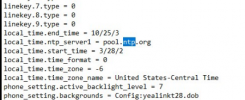
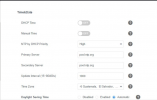
A lot of routers do strange thing to ports number for tracking IP session state and would break SIP/RTP, and this can be a problem. With the firewall you don't need any inbound rules as most Firewalls are stateful and will automaticity allow any traffic in that first went out. The rules you will need to be open outbound are NTP, 443, 5001 and 5090 for the SBC with target of the 3CX PBX if you wanted to secure it. With the SBC you won't have any two-way audio issues either because of the SBC tunnel between the SBC and the 3CX cutting right thru the Firewall. You'll want to set the NTP Server to be something local at the customer. The default NTP is in China for Yealink as an example.
Now keep in mind you will have to have two network ports -- one dedicated to the phone and another dedicated to the PC at the desk for this to work....
On Firewall2 you need to have a dedicated IP and some rules for the 3CX for inbound traffic from the Internet, but this is all well documented. Again, Firewall2 might give you issues with changing port numbers for state. You can look around in the forums for solutions for SonicWALL which has been notorious for this kind of thing. Make sure you figure out the ins-outs of the customer Firewalls -- this is key. I would simply install a test 3CX and run the firewall checker and make sure that works before doing too much with the customer. If you can get past the firewall checker, then you are good to go!
You will have other requirements if you have remote phones on the Internet that have to get back to the 3CX but that is beyond this scope of discussion right now.
A different solution that I have used is with VLANing and have the Phones and 3CX on a single ethernet cable, no SBC required, but on separate IP subnets which makes this a little simpler from a wiring point of view. 3CX supports this and you can easily program each Telephone what VLAN to assign for the PC Port.
With VLANs you only have one firewall, but Firewall2 would either need to support VLANs or have two dedicated ports on the Firewall. This works on SonicWALL either way. I do this with 3CX and video surveillance camera systems, and I know it works.
This advanced option requires VLAN Trunk-ing over a single ethernet cable....
PC connected to PC Port of Desk Phone ----> Desk Phone ----> Switch Port which defaults to untagged VLAN 20 (example) on a trunk-ed switch Port. The tagged VLAN could be 21 (as an example) for the PC.
A Yealink phone, for example, upon boot will connect to the 3CX via the untagged VLAN 20 Port then when the phone is up the PC Port is programmed to pass traffic for the tagged VLAN 21 but as untagged to the PC so no changes to the PC. You do have to deal the fact if the PC is on while the Phone boots it will get VLAN 20 IP as well. This can be resolved with a quick reboot of the PC by end users. I don't auto-reboot the phones, so this works for me.
Please note that you might have additional things to do, with your original config, when we get to v20 like split-DNS as we are moving to secure SIP/RTP. I've not looked at this topic extensively as of yet. I am hoping that the SBC helps with these requirements as well.