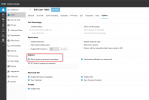
Reason: Block WAN requests is ON

Status
Not open for further replies.

eclipse2000hosting

Customer
Joined
Jul 16, 2022
Messages
7
Reaction score
1
Hi guys,
Upgraded to V20 a few days ago, I may be a little blink but I cannot find this option.
I always remember it been under options in the users settings but for the life of me I cannot find it anymore.

Any ideas?

Thanks
 
I have the same issue. Hopefully someone here knows how to fix this issue.
 
This is found under the users settings Options tab

1702494998054.png
 
  • Like
Reactions: technigogo
Thanks for the update Charles. Do you know if this can be set company-wide rather than per user?
 
It's per user only.
 
  • Like
Reactions: Taras Collum
No problem, any time.
 
How do I set that option for Hotdesk phones?
 
@SB_at_Complan
Hotdesking will only be available for SBC and local phones (when PBX and deskphone are in the same local network), and not STUN.
 
I have the same problem with HTEK902S, but this feature is disabled in the user tab.
The message follows: SIP request (REGISTER) from 191.xxx.xxx.xxx was rejected. Reason: WAN request blocking is enabled
 
Last edited:
FWIW I just ran into this error message today with a Yealink T43U. The person had installed the "latest firmware" which I believe was 108.86.0.90, instead of the latest 3CX firmware 108.86.0.77 listed on 3CX's site. Using the correct firmware let it register as a router phone.
 
Status
Not open for further replies.

Forum statistics

Threads
111,953
Messages
589,914
Members
164,849
Latest member
BillyAkansel