Solved Recording Calls Yealink Deskphone

Status
Not open for further replies.

danilestiazer

Forum User
Joined
Apr 30, 2024
Messages
7
Reaction score
0
Hello everyone,

I have the following question - I have a customer who is hosted in our company and has an enterprise license.
I know the possibility to record calls with the desktop app.
My question is whether the recording of the calls can also be started and stopped from a Yealink desk phone.

I have tested this in our office but have not found out how this would be possible - that's why I ask.

kind regards
danilestiazer
 
Does your phone has the Record button?
 
Does your phone has the Record button?
As soon as im at the office i can post which Yealink model they have.
I didnt know Yealink has Deskphone Models with a recording button?

But as long as i know it doesnt has one - cause we never used Yealink Deskphone with recording button.
 
You may also check this forum post and try the options.
 
You may also check this forum post and try the options.
Thank you for your quick help.
If I understand this correctly, I can configure this with certain models of Yealink desk phones but only in conjunction with the desktop app/web client?
There is no way to start/stop call recording only from the desk phone - am I correct?
 
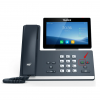
I have just tested this with a Yealink T58 which does have a record button and is working as expected. It will start/stop recording on the extension level.
Since the phone has this function ready on the device there will not be needed any extra steps to configure.
 
I have just tested this with a Yealink T58 which does have a record button and is working as expected. It will start/stop recording on the extension level.
Since the phone has this function ready on the device there will not be needed any extra steps to configure.
Ok, thank you very much.
I can't find online which Yealink models have a record button - are there several models?
Do I understand this correctly - that the recordings run via the 3CX system and are not stored locally via the desk phone?
 
Yes the recordings are in the extension level and stored in the PBX only.
For the recording options you might need to clarify with Yealink or refer to Yealink documentations.
 
Yes the recordings are in the extension level and stored in the PBX only.
For the recording options you might need to clarify with Yealink or refer to Yealink documentations.
Thank you for the helpful information.
Is there a list of Yealink models that have a recording button?
 
You can check this option in T58:

2024-04-30_09h44_11.png
 
You can check this option in T58:

View attachment 41215
Isnt this the Option to switch to the Headset?
If i try this with a T54W as soon as i press this button it wants to switch to a headset. - No matter if one is connected or not?
I set up the T54W to my extension normally, do i need to set up/configure something else?
 
Apologize here, you are correct.
This function will not work. The device has a feature to add (from the web interface of the ip phone) a BLf key to record.
Once this is assigned and you use the ip phone in ucsta mode it will make the record and control it.
However this will be removed after 24 hours on the reprovision.
Maybe this can be achieved with a custom template however i wouldn;t suggest this as it might work or not.
Since this is not tested directly it can cause other issues.
 
You are welcome ;)
 
Status
Not open for further replies.

Members Online Now

No members online now.

Forum statistics

Threads
111,831
Messages
589,277
Members
164,660
Latest member
RJenkinsROCK