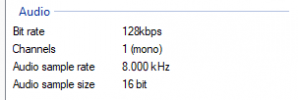
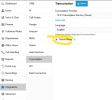
This will be a feature of the next update (U8) and documentation as well as the actual options in the PBX will be available once the update is out. An Alpha version for testing should not be too long from now.Do you know where documentation about setting this up would be? Thank you very much. This is exactly what I was looking for.
| MS_CALLRECORDING_STEREO | Enable stereo call recording |
All this does is enable this option.Just because I was looking for this for a while and think it might help someone else. It's not true multichannel and doesn't describe what happens when there's more than 2 speakers. Also doesn't say whether the agent is always on the L or R channel and whether it flips depending on inbound or outbound. If anyone wants to do some research, be my guest.
In Advanced > Parameters:
MS_CALLRECORDING_STEREO Enable stereo call recording

Just because I was looking for this for a while and think it might help someone else. It's not true multichannel and doesn't describe what happens when there's more than 2 speakers. Also doesn't say whether the agent is always on the L or R channel and whether it flips depending on inbound or outbound. If anyone wants to do some research, be my guest.
In Advanced > Parameters:
MS_CALLRECORDING_STEREO Enable stereo call recording
Correct, this is an enterprise feature.Is this parameter removed now, or do you need Enterprise/AI functions for this parameter to exist?
We are currently looking for ways to automate transcibe and summarize calls on our servicedesk and attatch them to the ticket, it looks like the integrated transcribe functions from 3cx is a bit to limted, so i was thinking to save these recordings (in stereo) and use something like n8n to create the workflow of transcribing, summarizing and sending it to our systems, having stereo recordings would improve things a lot.
Founded in 2005, when VoIP was an emerging technology, 3CX has gone on to establish itself as a global leader in business communications.