- allow the user to be co-host or presenter
- use chrome/edge (firefox doesn't work properly, had an issue yesterday with that)
- the user that's being remote controlled must be using Windows
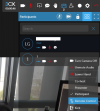
As the organizer you can also initiate a remote control session by clicking the people icon on the top right of the meeting screen then click on the name of the participant that you would like to remote control, this will then pop up an options box, one of the options being remote control. Once chosen the participant will be notified and will need to accept the remote control request, then download and install the remote control plugin. Once they have done this you will be able to control which ever of the participants screens you choose to control.
Will there also be an update for the remote control service, so that it can be offically installed as a system service for all users? We want to use the remote control feature for support tasks and there we need the possibility to get the UAC prompt redirected. But this only works if the remote control service is running as SYSTEM.