Solved Removing sound from PC

Status
Not open for further replies.

DrRubber

Joined
Jun 21, 2017
Messages
7
Reaction score
0
Aside from obviously turning the PC's volume down .....I've tried everything to disable the ringtone that comes through the PC speakers ...but to no avail.

It seems like it should be a simple thing but I certainly can't see it.

Our phones are loud enough without the need for the crackly old nokia sounding ringtone being belted out the monitor speakers !!

Any help would be greatly appreciated.

Cheers
 
I haven't got the client installed so this just a guess (and it assumes your clients are running on Windows), but check the sound applet in control panel, sounds tab and look in the list of program events below to see if you can find an event (or several under the client) related to the ring in sound then simply change it to (none) for that event. If that does the trick then you can find the registry key related to this sound event and push out the change by group policy if you have a domain.
 
Are you using the 3CX client as a softphone, or CTI (to control your desk phone)
 
Thanks Sector-9, I had a look in the control panel as instructed however theres nothing in the menu pertaining to 3cx.

teldata1, I'm not entirely sure what you mean....We were thrust this phone system on us with little to no training.

We have a 'Grandstream' desk phone as well as a cordless....when they ring, the computer rings as well.

I would just ask to remove the 3cx part of it as it all seems a little bit ott for what we do, except there are instances when I need to go offsite and I need to set my status as 'away'....and now we no longer have a copper based phone Iine I am unable to divert by the normal channels.
 
Thanks Sector-9, I had a look in the control panel as instructed however theres nothing in the menu pertaining to 3cx.

teldata1, I'm not entirely sure what you mean....We were thrust this phone system on us with little to no training.

We have a 'Grandstream' desk phone as well as a cordless....when they ring, the computer rings as well.

I would just ask to remove the 3cx part of it as it all seems a little bit ott for what we do, except there are instances when I need to go offsite and I need to set my status as 'away'....and now we no longer have a copper based phone Iine I am unable to divert by the normal channels.

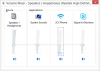
Hi DrRubber,I too have the soft phone installed. A simple fix would be to open up your volume mixer and turn 3CX's volume all the way down. You will still get the notification (flashing yellow) but no sound.


upload_2017-6-22_9-6-20.png
 

Attachments

  • upload_2017-6-22_9-4-56.png
    upload_2017-6-22_9-4-56.png
    24.1 KB · Views: 1
  • Like
Reactions: scott44
Hmm, yes that would be perfect
..thank you :)

Where abouts will I find that mixer ?
 
Hmm, yes that would be perfect
..thank you :)

Where abouts will I find that mixer ?

That depends on your OS. However on Windows, bottom right - you'll see a speaker icon. Click on that and just below the volume button, it should say Mixer. You would then see something similar to the picture I sent before. ;)

upload_2017-6-22_9-16-11.png
 
Of course (thinking about it afterwards I knew exactly where it was) ....and yes, you hit the nail on the head.

I didn't realise that a third party program would be included in there of all places but that solves the issue entirely and I can say I've already learnt something for the day !!!

Thank you all very much for your responses :)
 
Status
Not open for further replies.